Free 5 Clips Template By CapCut
Create stunning videos in seconds with our free 5 clips templates. Easy to customize and share, you can make professional-quality content for any platform. Start now!
More Templates



267.8K
nature vibes

232.1K
vlog cinematic

204.5K
5 Video Cinematic
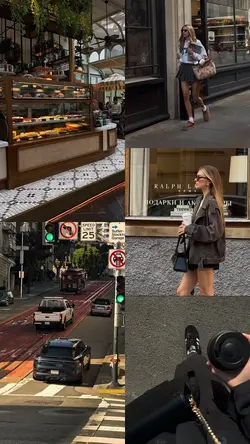
137.4K
grid 5clips

77.2K
Outfit 🥰

56.1K
Ordinary Slowmo 5

25.3K
CINEMATIC

19.8K
vlog estetik

19.3K
5 video or picture

15.5K
Vlog 5 video

14.7K
5 klips videos

14.3K
5 Video Cinematic

10.2K
KOLASE 5 clip

7K
5 slideshow

5.9K
slow motion

5.8K
5 Video or photo

5.3K
5 photos or videos

1.6K
city vlog aesthetic

1K
5 CLIPS VIDEO

177
5 clips video
1
Hot Templates
302 4K VideoTemplate By CbpngNew Template 2026 ProNew VideosPhoto TemplatesTemplates For PhotosFree TemplatesRajan TemplateFilter Template302 4K New4K Video Editing 2026New Trending 2027Black TemplateNew Templates 2026Aesthetic TemplatesVideo ClipNew Template 2026 Sad1 Clip Video TemplatePng Latest Templates 20264K QualityBlur Video TemplateTemplates 2026Free Video Without Watermark3 Clips Video TemplateTemplate SeenKeying Template302 4K 2026 VideoCute TemplatesEdit 2026New Free TemplatesVideo 2026Edit TemplateFull Hd Video DownloadBlur EffectArabic Template1 Video ClipZoom Animation EffectsPc Template VideoNew Video 2026Video BlurNew Filter 2027Online TemplatesPaper DisplaySimple TemplateLoading TemplatePhoto Edit Trending 20264 Clips Video TemplateTentana MontageText Effects TemplatesLong Video Template
About 5 clips template
Instantly level up your video content with a professionally designed 5 clips template. These versatile templates are perfect for crafting short, impactful stories, whether you're creating a quick social media update, a product highlight, or anything else you can imagine. Unlike starting from scratch, our templates provide a polished structure that you can fully customize in just a few clicks. You can easily swap out the placeholder media with your own photos and videos, adjust the text, and even change the music to match your brand or mood. This makes them ideal for a wide range of categories, from personal projects to business promotions and many others, allowing you to focus on your message without worrying about the technical details. Explore the collection below and find the perfect 5 clips template to bring your vision to life.
Turn a 5 clips template into a short sequence with progression
The collection includes five-video cinematic edits, nature vibes, five video or photo layouts, a Hindi song option, slow-motion treatments, grid five clips, marketing examples, and aesthetic vlogs. A 5 clips template gives you enough slots to show change without becoming a long recap. The key is to give every clip a different function before you begin filling the layout.
Use five simple shot roles
Start with context, then introduce the subject, show the main action, add a detail or reaction, and finish with a result. A nature edit might move from landscape to path, person, close detail, and final view. A product sequence could use full view, problem, feature, use, and outcome. This structure is more useful than selecting five clips only because their colors match.
Match movement and framing across the cuts
Cinematic and slow-motion options need footage with stable subjects and enough action inside each assigned slot. In a grid layout, choose simpler clips because several movements may share the screen. For video-or-photo formats, make sure still images do not feel like accidental pauses; give them a clear role and compatible exposure.
Watch the five clips in order and name what each contributes. Replace repeated information, check every crop, and confirm the main action is not cut before it finishes. When the sequence can be understood without extra explanation, music and transitions can support it. If the structure is unclear, adding stronger effects will only make the confusion move faster.
FAQs
Q: What five shot roles work for a simple story?
A: Use context, subject, action, detail or reaction, and result. The exact footage can change, but each slot should move the viewer forward. If two clips have the same role, replace one with information the sequence is missing.
Q: How should I prepare footage for a five-video cinematic edit?
A: Gather stable wide, medium, and close shots with deliberate movement. Trim the useful action before insertion and keep a few alternate crops. Five dramatic shots are not automatically coherent, so connect them through one subject, place, or event.
Q: What belongs in a grid five-clips layout?
A: Use clips with simple subjects and limited background movement because several may be visible together. Vary the angle or detail while keeping color and exposure reasonably consistent. Avoid placing five busy crowd scenes in one grid.
Q: Can I combine photos and videos in a 5 clips template?
A: The collection includes a visible video-or-photo option, but accepted media can vary by template. Inspect the chosen slots first. When mixing formats, use stills as intentional beats and match their crop and brightness to the moving footage.
Q: How do I keep a song-led five-clip edit in sync?
A: Mark the five strongest audible changes, then choose clips whose actions can land near those points. Do not stretch weak footage only to fill a musical phrase. Preview the actual template timing because slot length may differ from the source clip.
Q: What should the final clip do in a five-part sequence?
A: It should resolve the action, reveal the outcome, or leave a deliberate final image. Avoid ending on a random spare angle. Hold enough time for the result to register, while confirming the template does not cut away before the visual payoff.