Free Black Template By CapCut
Create stunning videos with our free black template collection. CapCut’s easy-to-use black templates let you make professional content in seconds. Customize now!
More Templates



256.5K
New trend mafia
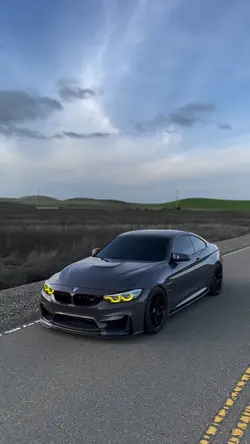
142K
3 Clips 🥶

88.7K
The Theme Is Black

69.6K
BMW EDIT!
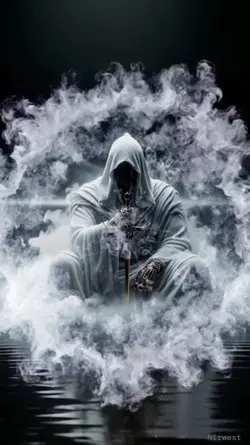
65K
White smoke&rainbow

61.1K
Black Screen

49.9K
Vampire bite outro

42K
Free BMW EDIT

34.7K
Pic in black light

29.2K
Blue city

26K
name:black screen

22.2K
lintas malam
9.8K
new trend

9.1K
Fade in filter

7.6K
Get Black Got White

6.2K
Ransom
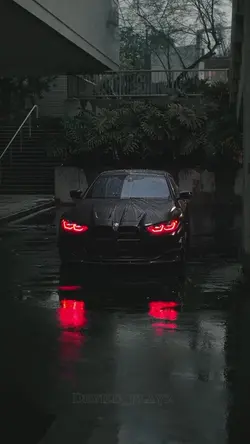
4.8K
Free BMW Edit

2.4K
Quote

1.6K
Black Intro cepat

905
Pitch black
1
Hot Templates
302 4K VideoTemplate By CbpngNew Template 2026 ProNew VideosRajan TemplatePhoto TemplatesTemplates For PhotosFree TemplatesFilter Template302 4K NewNew Templates 2026Aesthetic Templates4K Video Editing 2026New Trending 2027New Template 2026 SadVideo Clip1 Clip Video TemplateTemplates 2026Blur Video Template4K QualityPng Latest Templates 2026Free Video Without Watermark3 Clips Video TemplateKeying TemplateCute Templates302 4K 2026 VideoEdit 2026Zoom Animation EffectsBlur EffectArabic TemplateEdit Template1 Video ClipVideo BlurVideo 2026New Free TemplatesPaper DisplaySimple TemplateLoading TemplateNew Filter 2027Online TemplatesTentana MontagePc Template Video4 Clips Video TemplateText Effects TemplatesPhoto Edit Trending 2026Template SeenNew Video 2026Video Editing TemplateLong Video Template
About black template
Unlock a world of creative possibilities with a versatile black template from CapCut. These professionally designed templates provide a sleek, modern, and powerful foundation for any video project, regardless of its theme or purpose. The beauty of a black background is its ability to make colors pop and subjects stand out, ensuring your message is delivered with maximum impact. Whether you're creating a dynamic social media story, a sophisticated business presentation, or a personal video diary, our customizable templates offer the perfect starting point. You can easily add your own text, stickers, and effects to tailor the look to your exact needs. Explore the collection and discover how simple it is to produce high-quality content. Click to customize your next video today!
Use a black template without losing the subject
The templates above include Black HD slowmo, Black background, Sidhu BLACK SlowMo, Dark, and attitude-led edits. Some rely on a dark frame, while others combine the look with slow motion or stronger music. Choose the structure by what happens in the clip, then check whether the darker treatment still leaves the subject easy to see.
Start with footage that has clear separation
A bright face, light clothing, reflective object, or defined edge will usually hold up better against a black background than a subject already buried in shadow. For slow motion, use one visible action and leave a little footage before and after it. If the original clip is very dark or soft, a heavy black treatment can remove useful detail rather than add mood.
Keep text short and place it where the background is quiet. White is not the only readable choice, but the text needs enough contrast and should not cover the main face or object.
Check the dark areas before finishing
Preview the edit at phone size and look at hair, clothing, hands, and the edge of the subject. If those areas disappear, use a lighter template, adjust the crop, or choose a brighter source clip. The black template should frame the idea, not make the viewer work to find it.
FAQs
Q: What footage works best with a black template?
A: Choose footage with a clear subject, visible edges, and some separation from the background. Light clothing, reflective details, or a brighter face can remain readable against a dark treatment. Very underexposed clips may lose important detail when the template adds more black.
Q: Can I use a black template for slow-motion footage?
A: Yes, when the clip contains one clear action such as a turn, walk, gesture, or camera move. Leave a short lead-in and follow-through around the action. If the subject disappears during the slowdown, use a brighter source or a less aggressive dark style.
Q: How do I keep text readable on a black background?
A: Use a short message, enough contrast, and a position that does not overlap the main subject. Preview at phone size before reducing the font. If a line cannot be read before the next cut, shorten it rather than adding more animation.
Q: Why do faces sometimes disappear in a dark template?
A: The source may already have weak shadow detail, or the crop and dark treatment may reduce separation around hair and skin. Test one clip first. If the face becomes hard to recognize, change the crop, select a lighter layout, or use a better-exposed file.
Q: Can I mix bright and dark clips in the same black edit?
A: You can, but large exposure changes may make the sequence feel uneven. Arrange the clips so the shift has a purpose, or choose files with closer brightness. Preview the full edit and check that no clip suddenly looks washed out or almost invisible.
Q: What should I check before exporting a black template video?
A: Check shadow detail, text contrast, crop edges, and the timing of any slow motion. Watch once without sound to confirm that the subject remains clear. The final frame should still be visible long enough to feel like an ending.