Free Online Templates By CapCut
Create stunning videos in seconds with CapCut's free online templates. Customize professional-quality designs for social, business, or fun. Get started instantly!
More Templates



1.1M
what makes you happy

301K
google search

189.2K
NEW TREND

157.7K
🫶K🫶

85.4K
Baseball ⚾️

34.8K
Perfume

32.9K
There it is!!!!

28.6K
my favourite thing

22.3K
JJK Edit

21.1K
Business Reviews

14.8K
LET'S GO

8.9K
Tiktok trend
7.6K
instagram name
6.7K
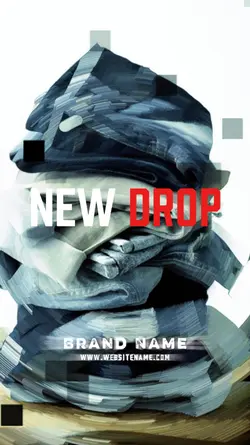
NEW DROP PRODUCT

5.5K
Lamine yamal

4.1K
Trending Top Edit

3.8K
Digital product temp
2.8K
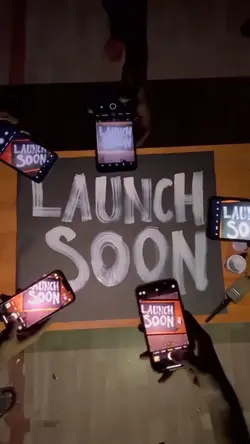
LAUNCH SOON

1.5K
Online Shopping

519
online business
1
Hot Templates
302 4K VideoTemplate By CbpngNew Template 2026 ProNew VideosRajan TemplatePhoto TemplatesTemplates For PhotosFree TemplatesFilter Template302 4K NewBlack TemplateNew Templates 2026New Trending 20274K Video Editing 2026Aesthetic TemplatesVideo ClipNew Template 2026 Sad1 Clip Video TemplatePng Latest Templates 20264K QualityTemplates 2026Blur Video TemplateFree Video Without Watermark3 Clips Video TemplateKeying TemplateCute Templates302 4K 2026 VideoEdit 2026Blur EffectZoom Animation EffectsEdit Template1 Video ClipArabic TemplateNew Free TemplatesVideo BlurTemplate SeenVideo 2026Paper DisplayNew Filter 2027Simple TemplatePc Template VideoLoading TemplateTentana Montage4 Clips Video TemplateNew Video 2026Text Effects TemplatesPhoto Edit Trending 202680S Template TrendFull Hd Video Download
About online templates
Discover the perfect starting point for your next video with our vast library of free online templates. Whether you're creating content for social media, a polished business presentation, or documenting personal memories, our templates provide a professional foundation that saves you time and effort. Unlike generic presets, each CapCut template is fully customizable, giving you complete creative control over text, music, and effects. They are designed by experts to help your content stand out across various platforms and for all other occasions you can imagine. Dive into our collection and find a design that speaks to your vision. Start browsing now and bring your ideas to life in minutes!
Choose online templates by the job the video needs to do
The visible collection covers Google Search edits, About Me, one photo and one video, jewelry, online shop, new product drop, digital product, affiliate content, fashion, and course promotion. “Online templates” describes a broad collection rather than one editing style. Start with the viewer's question: are you introducing a person, showing a product, or explaining an offer?
Prepare the information before replacing media
An About Me edit needs a recognizable portrait and a few short facts. A product or jewelry template needs clear images, a detail view, and only the product information the page or offer can support. For a new drop, decide the product name, key visual, and release message before choosing decorative effects. A one-photo/one-video layout works when both files relate directly and have compatible framing.
Keep prices, claims, dates, and availability accurate. If editable text is provided, shorten it to fit the visible reading time rather than shrinking it until it becomes hard to read.
Match structure to the intended action
A course promo should make the topic and next step clear; a shop edit should keep the product visible; a search-style video should use a concise phrase that the following footage answers. Preview the crop and text at phone size.
Finish by checking whether the video communicates its purpose without the caption around it. The template should organize the message, not ask the viewer to guess what is being introduced.
FAQs
Q: How do I choose between personal and product online templates?
A: Use an About Me or portrait-led layout when the person is the subject. Choose shop, jewelry, new-drop, or digital-product options when the item or offer must stay visible. The media and text should answer one viewer question consistently.
Q: What should an About Me template include?
A: Use a clear portrait, a short name or role, and only a few facts that matter to the intended audience. Keep each line readable before the next cut. Too many personal details can crowd the layout and weaken the introduction.
Q: What media works in a one-photo and one-video layout?
A: Choose files that show the same person, product, place, or event from complementary views. The photo can establish or summarize, while the video adds movement. Test orientation and crop so the subject does not jump to a confusing position.
Q: What product details belong in an online shop edit?
A: Show the product clearly and use only accurate information such as its name, key feature, variant, or confirmed release detail. Avoid dense specifications in a fast template. Direct viewers to the appropriate next step only when that action is actually available.
Q: How can a Google Search-style template avoid feeling disconnected?
A: Use a short search phrase that the following image or clip directly answers. Keep spelling and line length easy to read. If the result footage has no clear relationship to the phrase, the search animation becomes decoration instead of setup.