Free Arabic Template By CapCut
ابحث عن أفضل arabic template لتصميم مشاريعك بسهولة وسرعة. توفر لك هذه القوالب العربية خيارات متعددة لتناسب مختلف الاحتياجات، سواء كنت تجهز عرض تقديمي، وثيقة رسمية، أو محتوى تسويقي. استمتع بتصميمات احترافية ومتوافقة مع اللغة العربية تدعم المحاذاة من اليمين إلى اليسار وتلبي المعايير الثقافية المحلية. مثالية للطلاب، المحترفين، والمعلمين الذين يبحثون عن طريقة سهلة لتحسين جودة أعمالهم دون الحاجة لمهارات تصميم متقدمة. جرب الآن القوالب العربية التي تسهّل إنشاء المستندات وتجعل الوصول إلى نتائج رائعة في أقل وقت ممكن. استكشف مزايا التخصيص المتقدمة، سهولة التحرير، وتكامل سلس مع أشهر برامج التصميم والتقديم. اجعل مشروعك يبرز باحترافية ويترك تأثيراً قوياً لدى جمهورك بفضل arabic template المميز.
More Templates



460.3K
انا ولحبيبي حبيبي ال

364.1K
🤎

295.5K
Arabic song
243.4K
Arabic song template

237.4K
..

159K
يهويدلك

138.8K
Ya Ghayeb

106K
Kalam einah
91.5K
Arabic song
69.7K
Arabic song

47K
اغنيه ترند جديد

43.2K
لو تسمح يا هوى

23.6K
ليلي ليلي نهار

16.7K
ya leel ya leelee
12.9K
~

10.7K
ما بغاش قلبك يفيق
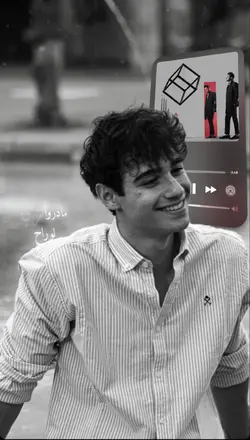
6.5K
أوعدك Awedak

2.8K
جمالك جمال

430
لو تسمح يا هوى
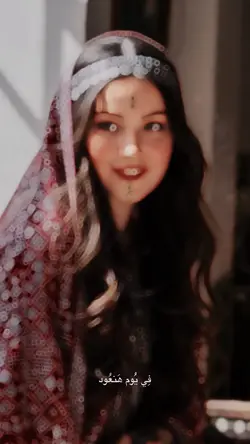
381
Trend Arabic
1
Hot Templates
302 4K VideoTemplate By CbpngNew Template 2026 ProNew VideosRajan TemplatePhoto TemplatesTemplates For PhotosFree TemplatesFilter Template302 4K NewBlack TemplateNew Templates 20264K Video Editing 2026New Trending 2027Aesthetic TemplatesNew Template 2026 SadVideo Clip1 Clip Video TemplateTemplates 2026Blur Video Template4K QualityPng Latest Templates 2026Free Video Without Watermark3 Clips Video TemplateKeying TemplateCute Templates302 4K 2026 VideoEdit 2026Blur EffectZoom Animation EffectsEdit Template1 Video ClipVideo BlurNew Free TemplatesVideo 2026Paper DisplayOnline TemplatesSimple TemplateNew Filter 2027Loading TemplatePc Template VideoTentana MontageTemplate Seen4 Clips Video TemplateText Effects TemplatesNew Video 2026Photo Edit Trending 2026Video Editing Template80S Template Trend
About arabic template
ابحث عن أفضل arabic template لتصميم مشاريعك بسهولة وسرعة. توفر لك هذه القوالب العربية خيارات متعددة لتناسب مختلف الاحتياجات، سواء كنت تجهز عرض تقديمي، وثيقة رسمية، أو محتوى تسويقي. استمتع بتصميمات احترافية ومتوافقة مع اللغة العربية تدعم المحاذاة من اليمين إلى اليسار وتلبي المعايير الثقافية المحلية. مثالية للطلاب، المحترفين، والمعلمين الذين يبحثون عن طريقة سهلة لتحسين جودة أعمالهم دون الحاجة لمهارات تصميم متقدمة. جرب الآن القوالب العربية التي تسهّل إنشاء المستندات وتجعل الوصول إلى نتائج رائعة في أقل وقت ممكن. استكشف مزايا التخصيص المتقدمة، سهولة التحرير، وتكامل سلس مع أشهر برامج التصميم والتقديم. اجعل مشروعك يبرز باحترافية ويترك تأثيراً قوياً لدى جمهورك بفضل arabic template المميز.
Choose an Arabic template around the song and the way the text is read
The visible collection is made up of Arabic song edits, Arabic-titled templates, Ya Ghayeb, Slowmo, Habibi, and other music-led options. The practical choice is the section of audio, the pace of the cuts, and whether the layout leaves enough room for Arabic text.
Match the footage to the music section
Preview the exact part of the song used by the template. A slow or emotional section works with portraits, small gestures, and longer holds. A faster edit needs several short clips with real changes in action or place. If the template includes slow motion, use a clip with one clear movement and enough footage around it.
Choose the strongest clip first, then count the remaining media slots. Do not repeat the same shot simply to match every beat.
Check Arabic text inside the actual layout
If editable text is available, keep each line short, preserve the intended reading order, and preview the alignment in the finished frame. Break longer lyrics or phrases at natural meaning pauses. Text, faces, and important objects should not compete for the same space. The Arabic template should support the song and message rather than treating the script as decoration.
FAQs
Q: How do I choose an Arabic template for a specific song?
A: Preview the exact song section used by the template and note how often the media changes. Choose a pace that fits the number and length of clips you have. A familiar song is not enough if the edit cuts faster than your footage can support.
Q: Can I add Arabic lyrics to the template?
A: If the selected template includes editable text, use a short lyric line that can be read within the available time. Preserve the intended reading order and check alignment in the final frame. Not every song edit needs lyrics on every screen.
Q: How should I break a long Arabic phrase across screens?
A: Break it where the meaning naturally pauses, not after an arbitrary number of characters. Keep connected words together and preview the complete phrase in context. If the viewer cannot finish reading before the change, shorten the wording or extend the hold.
Q: What footage works with an Arabic slow-motion template?
A: Use one visible action such as a turn, walk, gesture, fabric movement, or camera move. Leave footage before and after the key moment so the slowdown can start and finish naturally. Very short or blurry clips usually become harder to read when stretched.
Q: Can I use photos in an Arabic song template?
A: It depends on the selected layout. Photo-led sections can work for portraits or lyric moments, while movement-led effects need video clips. Preview the media slots before choosing files and avoid forcing a still image into a section whose timing depends on motion.
Q: How do I keep Arabic text clear over a busy clip?
A: Use fewer words, enough contrast, and a quieter area of the frame. Check the text throughout any camera movement or crop. If the background keeps changing behind the line, choose a more stable shot or add a simple backing shape.
Q: What should I check before exporting an Arabic template video?
A: Check the song timing, crop, text order, alignment, and whether every line can be read on a phone. Confirm that faces and important objects remain visible. Play the edit once without sound to see whether the visual sequence still makes sense.