Free Edit Slow Motion In CapCut Templates By CapCut
Discover how to edit slow motion in CapCut and enhance your video projects with professional effects. Easily adjust playback speed, create cinematic sequences, and highlight important moments with user-friendly controls. Perfect for content creators, vloggers, and social media enthusiasts looking to boost engagement and creativity. Get started with CapCut’s advanced AI tools to achieve smooth slow motion edits and stand out online.
More Templates



Capcut Cakeshop
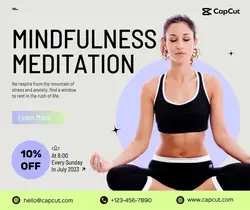
Motion Yoga Details Minsimalist

Capcut Parlor Facebook Ad

Motion Weightlifting Details Minsimalist

Motion Bicycle Display Minimalist

Motion Rugby Display Minimalist

Retro Capcut Parlor Facebook Ad

Capcut Special Menu Instagram Story

motion Elliptical machine show Retro style

Motion Tennis Venue Introduction Minsimalist
motion helmet show simple style
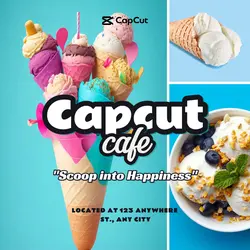
Capcut Cafe Instagram Post
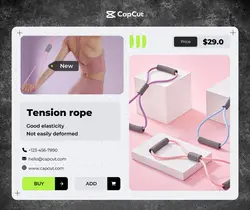
motion Tension rope show Minimalist style

Motion Tai chi Course Details Minsimalist

Retro Capcut Shop Facebook Ad
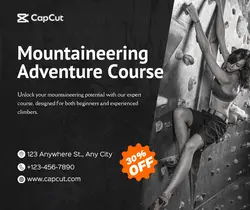
Motion Rock-climb Display Minimalist

Capcut Vet Clinic Facebook Ad

New Drink In Menu

Retro Capcut Shop Poster
1
Hot Templates
302 4K VideoTemplate By CbpngNew Template 2026 ProNew VideosTemplates For PhotosPhoto TemplatesRajan TemplateFree TemplatesFilter Template302 4K NewBlack Template4K Video Editing 2026New Trending 2027New Templates 2026Aesthetic TemplatesVideo ClipNew Template 2026 Sad1 Clip Video TemplatePng Latest Templates 20264K QualityBlur Video TemplateTemplates 2026Free Video Without Watermark3 Clips Video TemplateKeying Template302 4K 2026 VideoTemplate SeenCute TemplatesEdit 2026New Free TemplatesVideo 2026Blur EffectEdit Template1 Video ClipArabic TemplateZoom Animation EffectsVideo BlurOnline TemplatesNew Filter 2027Full Hd Video DownloadPaper DisplaySimple TemplatePc Template VideoNew Video 2026Loading Template4 Clips Video TemplatePhoto Edit Trending 2026Tentana MontageText Effects TemplatesLong Video Template
About edit slow motion in CapCut
Discover how to edit slow motion in CapCut and enhance your video projects with professional effects. Easily adjust playback speed, create cinematic sequences, and highlight important moments with user-friendly controls. Perfect for content creators, vloggers, and social media enthusiasts looking to boost engagement and creativity. Get started with CapCut’s advanced AI tools to achieve smooth slow motion edits and stand out online.