Free Blur Effect Templates By CapCut
Create stunning videos with professional blur effect templates. Easily customize high-quality designs in seconds to add depth and focus. Start your next project now!
More Templates


1.7M
blurry face
925.9K
b&w blur

714.1K
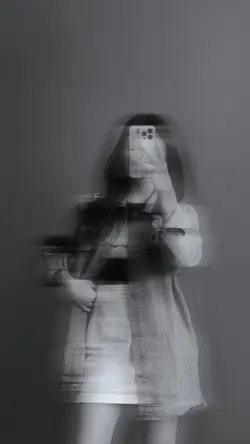
Blur aesthetic |

373.6K
SOFT BLUR
293.8K
Aesthetic Blur

230.4K
couple moments
183.5K
blur aesthetics
134.3K
Blur 1foto

115.4K
aesthetic blur

112.5K
Old Footage Effect

97.8K
blurry blur

84.3K
Slowmo trend

71.6K
Filter blur

50.5K
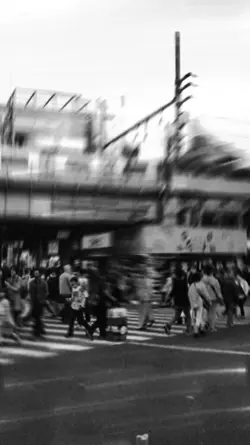
i couldn’t help
36K
black & white videos

28.9K
aesthetic blur

20.4K
Chromatic Flex
13.6K
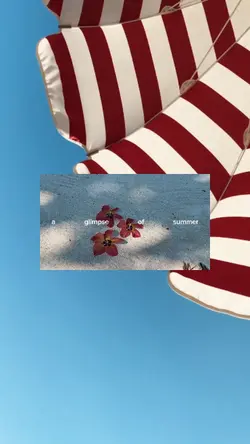
a glimpse of summer
6.9K
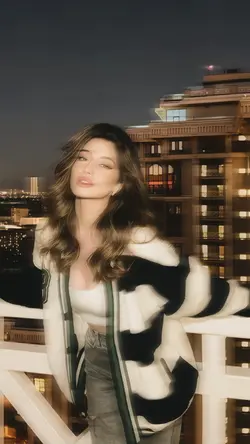
AESTHETIC BLUR

124
photo template
1
Hot Templates
302 4K VideoTemplate By CbpngNew Template 2026 ProRajan TemplatePhoto TemplatesTemplates For PhotosNew VideosFree TemplatesFilter Template302 4K NewBlack TemplateNew Templates 2026Aesthetic Templates4K Video Editing 2026New Trending 2027New Template 2026 SadVideo Clip1 Clip Video TemplateTemplates 2026Blur Video Template4K QualityPng Latest Templates 2026Free Video Without WatermarkKeying TemplateCute Templates3 Clips Video Template302 4K 2026 VideoEdit 2026Zoom Animation EffectsArabic TemplateEdit Template1 Video ClipVideo BlurVideo 2026Paper DisplaySimple TemplateLoading TemplateTentana MontageNew Filter 2027New Free TemplatesPc Template Video4 Clips Video TemplateText Effects TemplatesPhoto Edit Trending 2026Online TemplatesNew Video 2026Kalyani TemplateVideo Editing TemplateLong Video Template
About blur effect
Instantly elevate your videos by applying a professional blur effect with our easy-to-use templates. Whether you want to create a dreamy, atmospheric background, draw focus to a key subject, or artistically obscure parts of your frame, these templates provide a polished look without the complex editing. They are perfect for a variety of projects, from cinematic intros and social media stories to vlogs and other creative content where a touch of mystery or professionalism is needed. Our templates are fully customizable, allowing you to adjust the intensity and style of the blur to perfectly match your vision. You'll find options suitable for countless themes and miscellaneous video needs, ensuring a unique result every time. Start browsing now and discover the perfect blur effect template for your next masterpiece.
Choose blur effect templates by mood and focal point
This collection is led by blur aesthetic, black-and-white blur, filter kabur sad, Old Footage Effect, lyrics trend, and other style-focused previews. Unlike a privacy-first video blur, these blur effect templates mainly change atmosphere, depth, or visual emphasis. Decide which part of the image should remain readable before selecting the treatment.
Match the effect to the source image
Aesthetic blur works best when the footage already has a clear person, object, or action. Black-and-white options depend on light and shape, so check whether hair, clothing, and the subject edge remain separate from the background. An old-footage look can suit casual memories or intentionally imperfect clips, but it should not make faces or important details impossible to recognize.
For lyrics-led edits, leave a quiet area for the line and enough screen time to read it. A moving blur behind thin text can reduce contrast even when the first frame looks acceptable.
Stop before every element becomes soft
Preview the effect at phone size and inspect eyes, product edges, highlights, and dark areas. If the subject loses its identity, choose a quieter preview or a source with stronger separation. Do not add blur simply because the template provides it.
A finished effect should connect the footage through one mood. The viewer should notice the person, moment, or message first and the blur treatment second.
FAQs
Q: How are blur effect templates different from privacy blur?
A: Style-led blur changes mood, depth, or attention while keeping the main idea visible. Privacy blur must continuously hide an identifier or sensitive detail. The first can be selective and decorative; the second needs coverage checks across every frame.
Q: What footage suits a black-and-white blur effect?
A: Use footage with clear light, shadow, and subject outlines. Strong separation helps faces and clothing remain readable after color is removed. Very dark clips can lose hair, hands, or background boundaries when black-and-white and blur are combined.
Q: Can an old-footage blur work with modern phone clips?
A: Yes, when the subject or memory supports a nostalgic treatment. Keep one consistent look across related clips and check faces before adding more grain or softness. Mixing several strong retro effects can make the footage feel damaged rather than intentional.
Q: Where should lyrics sit over a moving blur?
A: Place them in a quiet area with stable contrast and away from the main face or object. Read the line during playback at phone size. If motion makes the letters disappear, shorten the text, strengthen contrast, or choose another position.
Q: How do I know when the aesthetic blur is too strong?
A: Pause on the most blurred frame and inspect eyes, object edges, and the subject outline. If the viewer cannot identify the main subject without the caption, the effect is carrying too much weight. Reduce it or choose a clearer source.