Free Subtitle Template By CapCut
Create professional videos with a free subtitle template from CapCut. Easily customize fonts, animations, and colors in seconds to make your content accessible & engaging.
More Templates



109.1K
You're about to win

58.5K
Stress to much
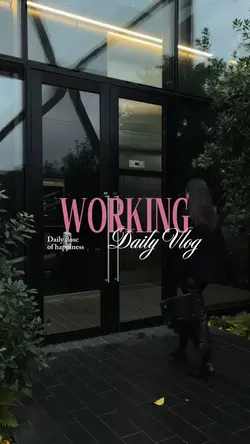
53.1K
working daily vlog

53.1K
workday

49.6K
MOTIVATION TEMPLATE✨

45.2K
Don’t Give Up

42.7K
Dear me

42K
Progress

33.6K
Love yourself

25.7K
normalize taking

20.8K
day in my life 💕

7.7K
how far you've come

7.1K
story time

5.8K
Keep moving forward

3.2K
the storm

3.2K
Your dreams

3.1K
Art of not being rea

2.7K
Summer Serenity

2.1K
14 CLIP VIDEO

509
beautiful things
1
Hot Templates
302 4K VideoTemplate By CbpngNew Template 2026 ProNew VideosTemplates For PhotosPhoto TemplatesRajan TemplateFree TemplatesFilter Template302 4K NewBlack Template4K Video Editing 2026New Trending 2027New Templates 2026Aesthetic TemplatesVideo ClipNew Template 2026 Sad1 Clip Video TemplatePng Latest Templates 20264K QualityTemplates 2026Blur Video TemplateFree Video Without Watermark3 Clips Video TemplateKeying TemplateCute Templates302 4K 2026 VideoEdit 2026Blur EffectZoom Animation EffectsEdit Template1 Video ClipTemplate SeenArabic TemplateNew Free TemplatesOnline TemplatesVideo 2026Video BlurNew Filter 2027Simple TemplatePaper DisplayPc Template VideoLoading TemplateTentana Montage4 Clips Video TemplateNew Video 2026Text Effects TemplatesPhoto Edit Trending 2026Full Hd Video Download80S Template Trend
About Subtitle template
Finding the perfect subtitle template is the key to making your videos more accessible, engaging, and professional. CapCut offers a diverse library of designs that go beyond simple text, giving you a polished starting point for any project. Whether you're creating for social media, business, or just recording personal moments, our templates are designed for maximum impact and readability. You can effortlessly customize every detail, from font styles and colors to dynamic animations, ensuring your text perfectly matches your video's tone. These versatile templates fit countless other video types, helping your message land clearly every single time. Start browsing now to find the ideal subtitle template and elevate your content instantly.
Use a subtitle template to make the spoken or written message easier to follow
The visible collection mixes CINEMATIC, Tere Nam Pe, Paro, sad and shayari edits, song lines, and text in several scripts and languages. A subtitle template can support dialogue, lyrics, quotations, or short narrative lines, but the wording still needs accurate timing and readable placement. Decide whether viewers are listening to speech, following a song, or reading a standalone thought.
Edit the words before styling them
Check spelling, names, punctuation, translation, and the point where each line begins and ends. Break text by natural phrase rather than filling every available width. A lyric line may need to follow a vocal phrase, while dialogue should appear when the speaker begins. If more than one person speaks, use clear labels or a consistent position where the selected template permits it.
Protect readability over changing footage
Choose a font, weight, and color that survive the darkest and brightest frames. Keep subtitles away from faces, important action, and interface areas likely to cover the text after publishing. Animated captions should remain visible long enough after their motion settles. Multilingual text needs a typeface that displays the required script correctly; decorative letterforms should not replace legibility.
Watch the full video once with sound and once muted. Confirm that timing follows the message, line breaks feel natural, and every word can be read at phone size. If a sentence needs to be rushed, shorten or divide it rather than shrinking the text until it becomes unusable.
FAQs
Q: How should I split a long sentence across subtitle cards?
A: Break it at a natural clause or breath, keeping related words together. Avoid leaving one short word alone on the next card. Each segment should stay visible long enough to read without forcing a smaller font.
Q: When should dialogue subtitles appear and disappear?
A: Bring the line in when the speaker begins or just before a fast opening word, then remove it after the phrase ends and can be read. Avoid carrying old dialogue across a clear speaker or scene change.
Q: How can I time subtitles to a song template?
A: Follow vocal phrases rather than every instrumental beat. Mark the first audible word and the end of the lyric line, then preview at normal speed. If the template cuts rapidly, shorten the displayed wording instead of compressing reading time.
Q: What makes subtitle text readable over cinematic footage?
A: Use stable contrast, sufficient weight, short lines, and a position away from faces and action. Test against both bright and dark frames. A style that works over one shot can disappear after the next cut.
Q: How do I handle more than one speaker?
A: Where the template allows, use names, consistent positions, or restrained color differences. Keep the system simple and apply it throughout. Do not depend on color alone when similar voices or quick cuts could still cause confusion.
Q: What should I verify in multilingual subtitles?
A: Check translation, names, punctuation, reading direction, line breaks, and whether the chosen font displays every character. Ask a competent speaker to review meaning when accuracy matters. A visually correct script can still contain a wrong translation.
Q: Can animated subtitles move during important action?
A: They can, but their motion should not compete with the subject or reduce reading time. Place animated text in a quieter area and preview every entrance and exit. Use a simpler treatment when viewers must follow fast action simultaneously.
Q: Where should subtitles sit for social video interfaces?
A: Keep them inside a safe central-lower area without covering faces or key objects. Interface placement can vary by platform and viewing mode, so preview the intended destination when possible and avoid text touching the screen edge.
Q: What final subtitle check should be done with audio muted?
A: Watch the entire sequence silently and confirm the text alone communicates the intended speech or lyric order. Look for missing words, rushed cards, repeated lines, speaker confusion, and captions that disappear against a changed background.