Free Layout 2 Blur Templates By CapCut
Create stunning videos with professional layout 2 blur templates. CapCut's easy editor lets you add a cool blur effect to your dual-layout videos instantly. Try now!
More Templates


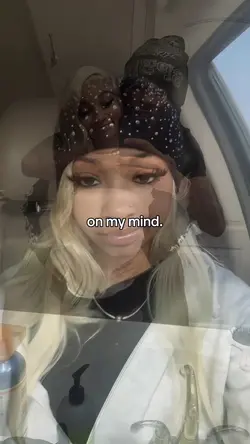
401.8K
ON MY MIND

367.1K
on my mind

288.3K
Me and you

182.5K
THINK I LIKE YOU

166.1K
Couple template

106.8K
2 video kolase

62.4K
old footage overlay

43.6K
On my mind

37K
piece of your love

33.8K
2 layer template

17.3K
letter home✉️

16.8K
Blur filter

11.5K
Boo

8.1K
Blur out..

7.6K
piece of ur love

6.7K
on my mind

5.8K
Amor-Emmanuel cortes

4.2K
moment

1.2K
blur effect 2pict

1
aesthetic blur
1
Hot Templates
302 4K VideoNew Template 2026 ProNew VideosTemplate By CbpngFree TemplatesVideo ClipNew Trending 2027Photo TemplatesTemplates For PhotosRajan Template4K Video Editing 2026New Templates 2026302 4K NewFilter TemplateBlack TemplateAesthetic TemplatesPng Latest Templates 2026New Template 2026 Sad4K Quality1 Clip Video TemplateTemplates 20263 Clips Video TemplateFree Video Without WatermarkBlur Video TemplateEdit TemplateTemplate SeenNew Free TemplatesVideo 2026302 4K 2026 VideoKeying TemplateFull Hd Video DownloadEdit 2026New Video 2026New Filter 2027Photo Edit Trending 2026Pc Template VideoBlur EffectArabic TemplateCute TemplatesVideo BlurSimple TemplateOnline Templates1 Video ClipLong Video TemplateZoom Animation Effects4 Clips Video TemplateLoading TemplatePaper Display80S Template TrendText Effects Templates
About layout 2 blur
Instantly elevate your content with a free layout 2 blur template. This effect is perfect for creating a mysterious, focused, or artistic vibe by blurring one part of a dual-screen layout while keeping the other sharp. Our templates are designed by professionals, ensuring a high-quality finish for all your video projects. Whether you're making a short film, a social media update, or a personal video message, these templates provide a sophisticated starting point. They are incredibly easy to customize within CapCut's editor; you can adjust the intensity of the blur, swap out clips, and add your own music in just a few clicks. Explore the collection below and start creating your next viral video.