Free Beat Sync Template By CapCut
Create amazing videos with our beat sync template collection. Easily customize professional, high-energy clips for TikTok and Reels in seconds. Stand out and go viral instantly!
More Templates



238.1K
Beat Cinematic

223.9K
mini vlog

159.4K
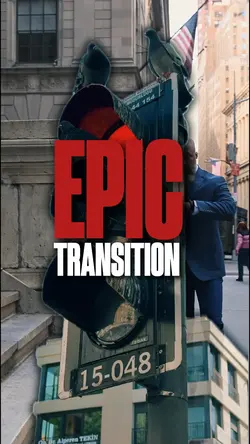
Epic Transition

108.6K
Cinematic Aesthetic

88.9K
Party Mode

85K
23 Pics edit

54.9K
Epic Cinematic

42.6K
Ok let's Go!
32.7K
EPIC TRANSITION 4K

26.1K
36 videos or photos

22.5K
10 video or photo

19.7K
EPIC TRANSITION 4K

14.8K
11 clips cinematic

8.1K
23 Video Clips

8K
12 Photo Transition

7.4K
Ok let’s go

6.8K
12 videos or photos

2.8K
Capture the moments

2.8K
EPIC TRANSITION 9:16

1.7K
Daily Vlog
1
Hot Templates
New Trend TemplateXxnamexx Song TiktokTrending Tik Tok TemplateTrending TemplateDownload Tiktok TemplateTiktok Template Free DownloadTentana Montage 3Trending Tiktok TemplateNew Tiktok Trend TemplateTrending NowPhotos Template BadmashiTikTok Videos OnlineTiktok Reel TemplateFree TikTok Videos80S Viral TikTok Trend19SBeat SyncTiki Tiki Song TikTokLatest Viral TikTok Trend 2026Best Tik Tok TemplatesFree Tiktok TemplatesSlowly SlowlyTikTok PlateTiktok Caption TemplateTikTok Video LinkDa Da Da Da Da Trend TikTokChinese TrendTikTok FilterTiktok Ending TemplateTrending Template SongViral TikTok VideoTikTok Apk Video TemplateNew Trend Tiktok Template6 Photos TikTok TrendTrending TikTok SoundDj Tiktok ViralVideo Template For TiktokTiki Tiki TikTok SongTrend AestheticNew Trending Template TikTok 2026Desi Baddie EditFree Tiktok Templates Download1 2 3 4 Trend TikTokTiktok Overlay TemplateTiktok Live Template0 5 CoolRaguda MontageTiktok New Video TemplateTiktok Outro Template Free DownloadTrend Velocity 2026
About beat sync template
Instantly elevate your content with a professional beat sync template designed to make your videos pop. Perfect for creators on TikTok and Reels, these templates automatically match your clips to the rhythm of the music, creating a dynamic and engaging experience for your audience. Why spend hours editing when you can achieve a polished, high-energy look in just a few clicks? Each template is fully customizable, allowing you to add your personal touch while maintaining a professional quality that captures attention. Our collection is ideal for any social media project where you want your visuals to perfectly align with the audio track, creating viral-worthy content effortlessly. Explore our curated selection below and click to customize your next masterpiece.
Make a beat sync template follow the action, not only the waveform
The visible collection includes SPEEDRAMP PIK, Beat Cinematic, Master Beat Sync, New Trend, DOWNSTREAM, Epic Transition, Say it on the beat, Event recap video, and car-edit options. A beat sync template already provides timing cues, but useful rhythm comes from matching those cues with visible changes in the source.
Mark the moments that deserve a cut
Listen for the main downbeat, a pause, a vocal entry, or a clear change in intensity. Then find clips with an action that can land there: a turn, jump, light change, door opening, product reveal, or camera whip. Do not cut simply because another beat exists. Repeated cuts with no visual development can make the edit feel busy and interchangeable.
Give each slot a distinct job
Place the clearest opening image first, build variation through angle, distance, or movement, and save the strongest payoff for a later accent. Speed-ramp options need footage with enough movement and clean frames around the acceleration point. Cinematic beat layouts can accept longer holds, while epic-transition and car-edit styles usually need stronger directional matches between adjacent clips.
Preview once with sound and once muted. With audio on, check whether actions meet the intended accents. Muted, the visual order should still be understandable. If the selected template permits audio or text changes, recheck every cue after editing because a different track or longer wording can alter the original rhythm. Keep the cuts that clarify movement and remove the ones that exist only to fill a slot.
FAQs
Q: Which beat should I use for the first important cut?
A: Start with a clear downbeat, vocal entrance, pause release, or major change in the track rather than the nearest small sound. Pair it with an equally clear visual event so the first cut establishes the editing pattern.
Q: What footage works well with a speed-ramp beat template?
A: Use movement with a readable direction and several clean frames before and after the impact point. Turns, passes, jumps, drive-bys, and controlled camera moves work better than static shots or clips blurred throughout the action.
Q: Do I need a different clip for every beat marker?
A: No. Use a new clip when the visual idea changes or the music reaches a meaningful accent. A strong shot can remain across smaller beats. Filling every marker can reduce clarity and make repeated media more obvious.
Q: How do I match two clips around an epic transition?
A: Look for a shared movement direction, subject position, shape, or camera motion. Trim both sides close to the point of change and preview frame by frame. The transition should connect the shots instead of hiding an unrelated jump.
Q: Why does a beat edit feel late even when the cut is on the marker?
A: The visible action may reach its impact after the clip starts. Move the source so the jump, reveal, or contact frame lands on the marker, not merely the beginning of the media slot. Perceived timing follows the action.
Q: What should I check after replacing music in a beat template?
A: If replacement is available, verify every cut, speed change, text entrance, and final hold against the new track. Different songs can shift accents and phrase lengths. Do not assume the original markers remain meaningful after the audio changes.