Free Wedding Theme Templates By CapCut
Create beautiful wedding theme templates for your special day. Instantly customize professional video designs for free to record and share your cherished wedding memories.
More Templates



241.6K
The Wedding Trend

128.5K
Cinematic Photodump

104.1K
Wedding dance

94.5K
Weeding Template

82.8K
Wedding events editi

56.8K
Marriage Commitment
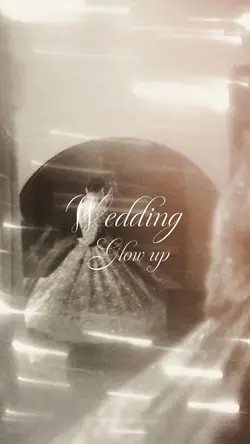
43.7K
Wedding Glow up

21.6K
Wedding moments

16.5K
Wedding edit

14.1K
Wedding Day

7.2K
Wedding day 💒

7.1K
wedding cinematic

4.1K
I love my wedding ❤️

2.8K
AT27

1.8K
Wedding pov

1.6K
happy wedding Day

1.6K
The wedding vlog

812
Wedding moments
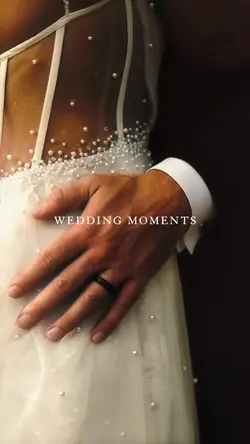
631
Wedding Moments

7
Wedding theme
1
Hot Templates
Wedding Templates For Video EditingShadi Video TemplateProposal Video DownloadDownload Romantic Marriage Proposal VideoWedding Invitation TemplateEngagement Video TemplateMuslim Wedding Video InvitationCinematic Wedding Video TemplateEngagement Title TemplateCinematic Wedding TemplateEngagement InvitationMarriage Anniversary TemplateHaldi Ceremony TemplateFree Indian Wedding Invitation Video MakerBridal Video ShootLaavan Song TemplateIslamic Wedding VideoIndian Wedding TemplateRing Ceremony Video TemplateNikkah VideosWedding Card Video TemplatesMarwadi Wedding Invitation VideoHaldi Video ShootAmerican Wedding VideosIndian Wedding Video TemplateProposal Video TemplateFunny Wedding VideosMehndi SongAnimated Wedding InvitationWedding Trailer TemplateNew Dulhan Video TemplatePakistani Wedding VideoBest Wedding Dance VideoWedding Video ClipsTamil Wedding Invitation Video Templates Free DownloadWedding Anniversary TemplateCinematic Wedding FilmsShaadi Shaadi VideoWedding Video Card TemplateSeating Chart TemplateWedding AnniversaryWedding Video Templates For EditingBest Marriage Anniversary Song In HindiBangla Marriage VideoEngagement Video3D Wedding Invitation Video TemplatesOnline Indian Wedding Invitation Video MakerBridal Makeup VideoWedding Glasses TrendFree Telugu Wedding Invitation Video Maker
About wedding theme
Capture the magic of your special day with our stunning wedding theme templates. Designed to help you beautifully record every cherished moment, these free templates offer a professional touch without the complexity. Whether you're creating a romantic slideshow, a fun reception recap, or a heartfelt save-the-date video, our collection has the perfect design for your wedding focus. Each template is fully customizable, allowing you to add your own photos, videos, music, and text with ease. You don't need to be a video editing pro to produce a polished, cinematic masterpiece that tells your unique love story. Start browsing now to find the ideal template and begin creating a timeless keepsake in minutes.
Choose wedding theme templates for the part of the day you are telling
The visible collection includes Wedding casamento, Wedding moments, The Wedding Of, Wedding vlog, wedding cinematic, wedding ceremony, WEDDING DAY, and Bride's Day. Wedding theme templates do not all serve the same purpose: an invitation introduces an upcoming event, while a ceremony recap and a couple portrait edit look back on moments that already happened.
Build the sequence around one wedding chapter
For an invitation, prioritise names, date, location, and a clear closing prompt, using only fields the selected template lets you edit. For a recap, choose a beginning, middle, and payoff: preparation, arrival, vows or key ceremony action, then the couple or guests afterward. A wedding vlog can include candid movement, while a cinematic layout usually benefits from steadier, longer shots.
Protect important people and details
Check every crop for faces, clothing details, rings, decorations, and text on signs. Vertical layouts may remove people at the edges of a wide group shot, so reposition the source where the template permits or choose a layout with more room. Keep title wording short and verify the spelling of both names. If music or text can be changed, preview the new choice with the full timing rather than assuming it fits.
Watch the final edit once for story and once for accuracy. Confirm that the sequence does not mix unrelated stages of the celebration, invitation details are current, and no transition hides the most important gesture. A focused wedding video can be short; it only needs a clear chapter, recognisable people, and enough time for the emotional moments to land.
FAQs
Q: How do I choose between a wedding invitation and a wedding recap template?
A: Use an invitation when viewers need future event details such as names, date, and location. Choose a recap when the material records events that already happened. Do not combine both purposes unless the sequence clearly separates them.
Q: Which shots belong in a short wedding ceremony recap?
A: Choose one establishing shot, one or two key ceremony actions, a reaction, and a closing image of the couple or guests. Prioritise moments that explain the event without needing every part of the full ceremony.
Q: Why do wide group photos crop badly in vertical wedding layouts?
A: A vertical frame has less horizontal space, so people near the edges can fall outside the visible area. Test the crop before filling the sequence. Where repositioning is unavailable, choose a template with a wider media window.
Q: What wedding details should be proofread before export?
A: Check both names, event date, start time, venue spelling, address, and any response instructions. Also inspect small decorative text that may still contain sample wording. A final preview at normal phone size helps expose overlooked fields.
Q: When does a cinematic wedding template fit better than a vlog style?
A: Choose cinematic pacing for steady portraits, venue details, slow camera moves, and moments that benefit from a longer hold. A vlog style is usually more natural for arrivals, preparation, dancing, and candid interactions with varied movement.
Q: How can I keep wedding titles from covering important details?
A: Place names and dates over calm backgrounds, then preview the entire title animation. Avoid faces, rings, hands, signs, and detailed clothing. If the template fixes the text position, choose source media with suitable empty space.
Q: Should every wedding clip use the same color treatment?
A: A consistent palette can connect the sequence, but exposure and skin tone still need checking shot by shot. Indoor preparation, outdoor ceremony, and reception lighting may respond differently. Reduce or change a treatment when one scene looks unnatural.