Free Travelling Video Template By CapCut
Create stunning travel videos in seconds with a free travelling video template from CapCut. Our easy-to-customize templates make professional-quality edits simple.
More Templates


1.3M
Travel✈️

406.9K
plane template

314.7K
Travel friends trip

254K
TRAVEL DUMP

187.1K
good part

165.6K
Travel dump

62.2K
trip videos

53.1K
Travel ✈️

48.9K
Traveling

47.9K
Nature vibes

32K
template video
20.9K
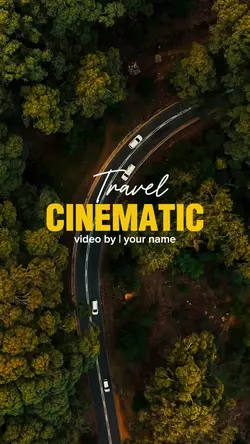
TRAVEL CINEMATIC

10.3K
Travel Memories

6.1K
Travel Memories

3.2K
Life Is This

2.1K
Travel cinematic

899
Explore | Nature

835
Travel | Ordinary

578
Viva La Vida

79
Travel mini vlog
About travelling video template
Finding the perfect travelling video template is the first step to turning your precious memories into captivating stories. Whether you want to record a fast-paced city tour or a serene nature escape, our templates provide a professional foundation for any travel video. They are designed to be fully customizable, allowing you to easily add your own clips, change the music, and adjust text to match your unique journey. Forget complicated editing software; these templates streamline the creation process, ensuring your final video looks polished and engaging. They're perfect for sharing on social media or keeping as a personal digital diary. Dive into our collection and find the ideal template to bring your travel adventures to life.
Give a travelling video template a route the viewer can follow
The visible collection includes TRAVEL | VLOG | CINE, memories, Travel dump, CINEMATIC VLOG, 7 video klip travel, plane template, Travel friends trip, MOMENT TO MEMORIES, Vacation recap, and Adventure Cinematic. A travelling video template becomes more useful when the clips describe one journey rather than a random folder of attractive views.
Organise by movement, place, or time
Choose one simple structure: departure to arrival, morning to evening, or location A to location B. A plane template can introduce the route, while a travel dump suits small observations that do not need a formal story. For a friends trip, include interactions and shared reactions, not only scenery. A cinematic vlog needs steadier establishing shots; a fast recap can use short details and changing angles.
Mix wide views with human-scale details
Use a wide shot to establish the place, then add signs, food, transport, hands, tickets, weather, or a brief street moment. Check orientation before filling every slot. Vertical phone footage may crop a wide landscape, while horizontal video can leave less usable height in a portrait frame. Where repositioning is possible, protect faces and landmarks; otherwise choose a template that better matches the source.
Finish with arrival, departure, a final view, or a quiet reaction that closes the route. Verify place names and dates only if they are shown, and keep map or title text short enough to read. When the edit has a clear path and varied scale, the viewer can understand the trip without a long caption explaining where each clip belongs.
FAQs
Q: What is the simplest structure for a short travel recap?
A: Use departure, one or two destination moments, and a closing arrival or final view. Another clear option is morning, afternoon, and evening. Pick one structure and remove clips that require a separate storyline to explain them.
Q: When does a travel dump template work better than a cinematic vlog?
A: Choose a travel dump for varied snapshots, small details, and informal moments that can be understood quickly. Use a cinematic vlog when you have stable establishing shots, deliberate camera movement, and scenes that deserve longer screen time.
Q: How can I use a plane template without making the whole video about flying?
A: Use it briefly to establish departure, route, or arrival, then move into destination footage. A window shot, boarding detail, or airport sign is enough. Avoid repeating similar plane clips unless the journey itself is the subject.
Q: What details make a travel video feel specific to one place?
A: Include readable signs, transport, food, architecture, weather, local textures, or a recognisable landmark alongside wide views. Use details you actually recorded. Avoid adding a place label that the footage does not clearly support.
Q: How should I handle horizontal landscapes in a vertical travel template?
A: Preview the crop before committing to the layout. Reposition the frame where available, keeping the landmark and horizon visible. If the vertical crop removes the point of the shot, select a wider media window or another template.
Q: What should a friends-trip edit include besides scenery?
A: Add shared reactions, walking or transport moments, meals, small mishaps, and one clear group image. These clips show the relationship behind the trip. Balance them with scenery instead of using only posed portraits or empty views.
Q: How many locations should I include in one short travel template?
A: Include only the locations that can be identified and connected within the available duration. Two or three distinct stops are often clearer than many one-second glimpses. If a place needs explanation, give it more time or save it for another edit.
Q: What makes a natural ending for a travelling video template?
A: Close with arrival, departure, a final landscape, luggage being set down, or a quiet reaction that signals completion. Leave enough time for the last image to register and for any template exit animation to finish cleanly.