Free Scroll Effect Templates By CapCut
Create stunning videos with a professional scroll effect using our free templates. Customize your project in seconds and captivate your audience instantly.
More Templates
950.5K
film effect scroll

242.4K
Cinematic Scroll

99.8K
Cinematic Scroll 2

65.3K
Follow the gesture

32.6K
roll film

27.5K
Mindlessly Scrolling

23.3K
Phone swipe

23.3K
Scrolling

13.3K
Scrolling photo dump

9.9K
Polaroid Pictures

7.2K
TikTok doomscroll

2.7K
Scroll up template

2.7K
photo video scroll

2.4K
Scroll edit

1.3K
travel scroll

533
scrolling

244
Friends Dump Scroll

112
rawss (FAKE)

81
RISK IT ALL

22
Cinematic scroll
1
Hot Templates
302 4K VideoNew Template 2026 ProTemplate By CbpngNew VideosFree TemplatesPhoto TemplatesTemplates For PhotosRajan TemplateNew Trending 2027Video Clip4K Video Editing 2026302 4K NewFilter TemplateNew Templates 2026Black TemplateAesthetic TemplatesNew Template 2026 SadPng Latest Templates 20264K Quality1 Clip Video TemplateTemplates 2026Free Video Without WatermarkBlur Video Template3 Clips Video TemplateTemplate SeenEdit TemplateNew Free TemplatesVideo 2026302 4K 2026 VideoKeying TemplateNew Video 2026Full Hd Video DownloadEdit 2026Pc Template VideoNew Filter 2027Blur EffectCute TemplatesArabic TemplatePhoto Edit Trending 2026Video Blur1 Video ClipSimple TemplateOnline TemplatesZoom Animation EffectsPaper DisplayLong Video TemplateLoading Template4 Clips Video TemplateText Effects Templates80S Template Trend
About scroll effect
Give your videos a dynamic, modern feel with a professional scroll effect. This popular technique mimics the look of scrolling through a social media feed, text message conversation, or website, instantly grabbing viewer attention. Our versatile scroll effect templates are perfect for a wide variety of other projects, from engaging social media stories and product showcases to unique personal vlogs. Instead of spending hours trying to animate text and media from scratch, you can achieve a polished, high-quality result in minutes. Each template is fully customizable, allowing you to easily change the text, images, and timing to fit your vision. Start browsing our collection to find the perfect template and elevate your content today.
Use scroll effect templates when order is part of the idea
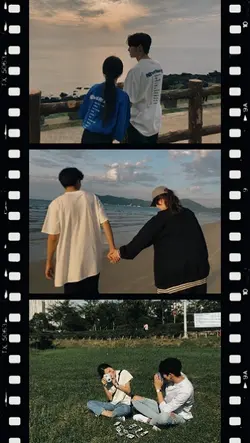
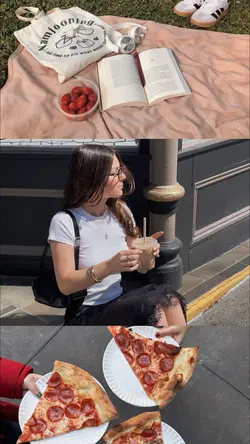
The visible collection includes film effect scroll, rotate your phone, Cinematic Scroll, Loading, phone swipe, Scrolling photo dump, roll film, lyrics edit, doomscroll, Before you scroll, Scroll up, and travel scroll. Scroll effect templates are most useful when the viewer should move through items in an order: photos, steps, messages, lyrics, places, or a timeline.
Build the sequence before applying the motion
Sort the media or text first and decide what the viewer should notice at each stop. A photo dump can move from context to people and details. A travel scroll can follow a route or a day. Lyrics need phrase-based timing, while a phone-swipe layout needs consistent image orientation. If a rotate-phone prompt is present, make sure the following content actually benefits from that viewing change.
Control speed, crop, and reading load
Scrolling too quickly makes faces and text pass before they can be understood. Keep important subjects away from the direction of crop and allow a short pause on decision-relevant items. Repeated images, inconsistent margins, and different screenshot sizes can make the motion feel uneven. Use a limited number of words per panel and test the smallest text at phone size.
Preview the full scroll without dragging or pausing. Confirm the direction remains understandable, each item enters in the intended order, and the last frame provides a clear stopping point. The effect should guide attention through the material. If viewers must replay only to discover what moved past them, slow the motion or simplify the content.
FAQs
Q: What content benefits from a scroll effect instead of normal cuts?
A: Use scrolling when order and continuity matter, such as a photo dump, timeline, route, message sequence, lyric passage, or list. Normal cuts are clearer when the items do not share a direction or progression.
Q: How fast should photos move through a scrolling layout?
A: Each important face or object should remain recognizable before leaving the frame. Test at phone size without pausing. Use a slower movement or a brief hold when viewers need to compare or read information.
Q: When does a rotate-your-phone prompt make sense?
A: Use it only when the next layout genuinely changes orientation or offers a wider view. Give the prompt enough time to understand before the content starts. An unnecessary rotation instruction interrupts the sequence without improving it.
Q: How should screenshots be prepared for a phone-swipe template?
A: Crop them to consistent dimensions, remove unrelated private information, and keep the important area away from screen edges. Check small text at the intended viewing size. Do not include details that should not appear publicly.
Q: What makes a scrolling photo dump feel coherent?
A: Use one event, period, person, or visual theme and arrange images in a deliberate order. Vary context and detail while keeping margins and exposure reasonably consistent. Remove near-duplicates that do not change what the viewer learns.
Q: How do I create a clear ending for a scroll edit?
A: Slow or stop on a final image, message, destination, or result. Avoid letting the content disappear without a landing point. Confirm any loop or exit animation does not make the sequence look as though more items were expected.