Free Blur Davinci Resolve Templates By CapCut
Blur DaVinci Resolve offers filmmakers, content creators, and video editors advanced solutions to add stylish blur effects to your projects. With intuitive controls, you can easily blur faces, backgrounds, or unwanted objects to create cinematic looks, maintain privacy, and highlight key subjects in your footage. The software supports both beginners and professionals, making it easy to apply and customize blur filters using drag-and-drop features or precise mask tracking. Learn how to blur in DaVinci Resolve for social media, documentary, corporate, or creative content. Discover tips to optimize workflow, ensure high-quality exports, and leverage DaVinci Resolve’s comprehensive color grading and motion graphics tools for your next project.
More Templates


1.4M
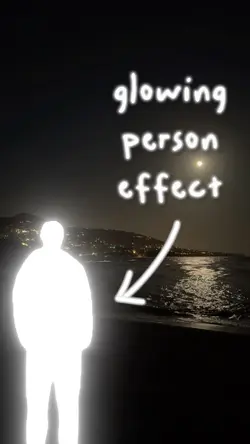
Glowing Person

465.7K
Lucid Dreams
115.5K
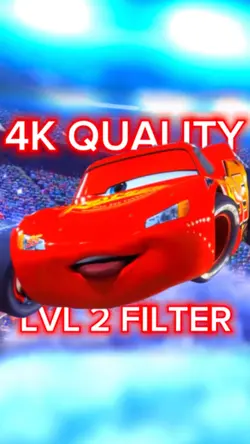
4K Quality - LEVEL 2

115.2K
Slowmo Blur Edit

67.2K
notes..

46K
Grain + Motion blur

25.6K
Slow-mo / velocity
19.4K
put motion blur

16K
Low quality pixel

14.3K
halo blur, cool dump

13.7K
140p to 1080p

7.7K
City

6.1K
Blurred Lines

5.4K
free overlays!

3.6K
Lightswitch Unblur

3.3K
Blur effect

2.6K
Blur • Filter

2.3K
Light blur

947
free masking clip
1
Hot Templates
302 4K VideoTemplate By CbpngNew Template 2026 ProNew VideosPhoto TemplatesTemplates For PhotosFree TemplatesRajan Template4K Video Editing 2026302 4K NewFilter TemplateNew Trending 2027Black TemplateNew Templates 2026Video ClipAesthetic TemplatesNew Template 2026 SadPng Latest Templates 20261 Clip Video Template4K QualityTemplates 2026Blur Video TemplateFree Video Without Watermark3 Clips Video TemplateTemplate SeenKeying Template302 4K 2026 VideoNew Free TemplatesVideo 2026Edit TemplateEdit 2026Cute TemplatesFull Hd Video DownloadBlur EffectNew Video 2026Pc Template VideoArabic Template1 Video ClipNew Filter 2027Video BlurZoom Animation EffectsPhoto Edit Trending 2026Paper DisplayOnline TemplatesSimple TemplateLoading Template4 Clips Video TemplateTentana MontageLong Video TemplateText Effects Templates
About blur davinci resolve
Blur DaVinci Resolve offers filmmakers, content creators, and video editors advanced solutions to add stylish blur effects to your projects. With intuitive controls, you can easily blur faces, backgrounds, or unwanted objects to create cinematic looks, maintain privacy, and highlight key subjects in your footage. The software supports both beginners and professionals, making it easy to apply and customize blur filters using drag-and-drop features or precise mask tracking. Learn how to blur in DaVinci Resolve for social media, documentary, corporate, or creative content. Discover tips to optimize workflow, ensure high-quality exports, and leverage DaVinci Resolve’s comprehensive color grading and motion graphics tools for your next project.