Free Add Blur To Image Templates By CapCut
Create stunning visuals by using our templates to add blur to an image. Customize professional, high-quality designs in seconds. Get started for free with CapCut.
More Templates


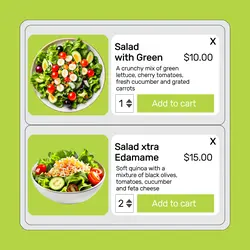
2024hot add to cart food

2024hot add to cart food

2024hot add to cart home

2024hot add to cart food

2024hot add to cart men's clothes

2024hot add to cart men's clothes

2024hot add to cart children's clothes

2024hot add to cart women's clothes

2024hot add to cart men's clothes

2024hot add to cart Lamp Promote

2024hot add to cart children's clothes

2024hot add to cart children's clothes

2024hot add to cart children's clothes

Beauty Brightening Serum Display Instagram Post

E-Commerce Food Cream Macaron Hero Image

E-Commerce Food Peanut Rolls Hero Image

E-commerce Household CleanEssentials Basic Microfiber Cleaning Cloths Product Callout

Untitled image

Untitled image

Untitled image
About add blur to image
Effortlessly add blur to an image with our professionally designed templates, perfect for creating depth, focusing attention, or adding a stylish, dreamy effect to your visuals. Whether you're a content creator, marketer, or just looking to enhance your personal photos, these templates provide a quick and artistic solution. They are versatile enough for various 'others' projects where a polished look is essential. Each design is fully customizable, allowing you to adjust the intensity and style of the blur to perfectly match your creative vision. Forget complex software; with CapCut, achieving a high-end blur effect is simple and intuitive. Dive in and explore our collection to find the perfect template for your next project. Click to customize and transform your images today!