Free Event Recap Templates By CapCut
Create a professional event recap video in seconds with CapCut's free templates. Easily customize and share your best moments with our dynamic designs.
More Templates



411.4K
Today story

319.3K
your event recap
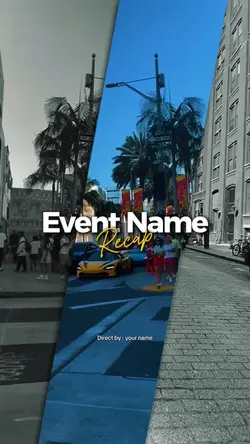
303.7K
EVENT RECAP VIDEO

130.2K
Dinámic Party

43K
EVENT RECAP MOMENT

20.8K
Concert recap

14.1K
Event Highlights

13.4K
event name recap

11.6K
EVENT RECAP VIDEO

9K
your event recap

5.6K
Moments recap vlog

4.9K
YOUR EVENT RECAP

4.6K
YOUR EVENT RECAP

4.4K
your event recap

4.2K
your event recap

3.2K
your event recap

2.7K
EVENT RECAP MOMENT

1.6K
CAPTURE MOMENTS

496
Your Event Recap

50
Your Recap Event
1
Hot Templates
2027 Edit1 Month2006 Vs 2026New Chapter Debut Pro TransitionPhoto Collage TemplateSad TemplateOld Is Gold Template1980 2026 Trending TemplateTrend 20162007 To 2026Video MomentsEdit 2027Slideshow EffectsMemories Flashback2024 To 2026Template TimelinePhoto And Video Collage2016 Vs 20262026 To 1980Free Timeline Template4 Photo Template2015 To 2026Trend Old Vs Now4 Clips Video Template SadFlashback MemoriesYou In The 80S2017 Vs 2026Nostalgia Edit2012Vs2026Memories TemplateMany Memories TemplateVideo With 16 Longer Photos2016 Vs 2026 PhotoOld Trend 2026100 Photos Template2008 Vs 20262020Vs2026First Second Calculation2009Vs2026Trend 2016-20261996 Vs 20267 Photos Template2010 Vs 20262020 Vs 20262025X2026Yo En Los 802017 To 2026A Video Montage80S 90S Trend
About event recap
Crafting the perfect event recap is the best way to relive and share your most memorable moments. Our collection of free event recap templates makes this process simple and fun. Whether you need to record the highlights of a corporate conference, a vibrant party, or a family gathering, you’ll find a design that captures the energy of your occasion. Each template is fully customizable, allowing you to easily add your clips, adjust text, and pick the perfect soundtrack. Move beyond simple slideshows and create a polished, engaging video that tells your story. Start browsing our templates now and make your next event recap unforgettable.
Choose event recap templates around what happened, not every clip recorded
The collection includes Today story, your event recap, EVENT RECAP VIDEO, Party Recap, event highlights, Concert recap, Short event recap, and Concert Dump Recap. Event recap templates can cover a conference, activation, concert, party, or family gathering, but each event has a different centre. Identify the moment or outcome attendees should remember before sorting the footage.
Build a compact beginning, middle, and finish
Open with a venue, sign, crowd arrival, or other shot that establishes the event. The middle can alternate key activity with useful details and real reactions. End on a result: the final performance, an announcement, a completed activity, a group moment, or the venue closing down. A concert edit can follow musical energy, while a corporate recap may need clearer speaker, session, product, or attendee context. Do not include every angle of the same action.
Check event facts and people before publishing
Verify the event name, date, location, speaker or performer names, sponsor references, and any figures shown. Use footage that belongs to the event being described. Review whether attendees, children, badges, screens, tickets, or private conversations reveal information that should not be public. When text or music is editable, test the change against the full sequence and intended placement.
Watch the recap once as someone who was not there. The opening should establish the occasion, the middle should explain its character, and the ending should make the outcome clear. A focused recap does not need to recreate the full schedule; it gives viewers a truthful, recognisable version of the event in a short sequence.
FAQs
Q: What is the simplest structure for an event recap video?
A: Use an establishing shot, two or three different highlights, a participant or audience reaction, and a closing outcome. This order gives viewers context, activity, and resolution without requiring the complete event schedule or every recorded angle.
Q: How should a concert recap differ from a corporate event recap?
A: A concert recap can follow performance energy, crowd response, and a musical peak. A corporate recap usually needs clearer identification of the event, speakers, sessions, product or activity, and outcome. Both still require accurate names and usable sound choices.
Q: Which event details should be verified before the recap is released?
A: Check the official event name, date, venue, city, organiser, speaker or performer names, sponsor names, session titles, and any attendance or result figures. Use the version approved for public communication rather than notes captured during planning.
Q: How can I avoid repeating the same event moment?
A: Group footage by action before editing and choose the angle that best explains each moment. Use a second angle only when it adds a reaction, detail, or progression. Several near-identical stage or crowd shots make a short recap feel longer without adding information.
Q: What privacy issues should I review in event footage?
A: Look for people who should not be featured, children, readable badges, registration lists, presentation screens, private messages, payment details, tickets, and overheard conversations. Follow the event's consent and recording arrangements and replace uncertain shots when necessary.
Q: What makes an event recap ending feel meaningful?
A: Finish with a visible outcome rather than an arbitrary last clip: a completed performance, final announcement, group response, finished installation, closing handshake, or quiet venue. Leave enough time for viewers to recognise why that moment concludes the event.