Free CapCut Reel Template By CapCut
Create professional Instagram Reels in seconds with a free CapCut reel template. Easily customize high-quality designs to make your videos stand out. Get started now!
More Templates


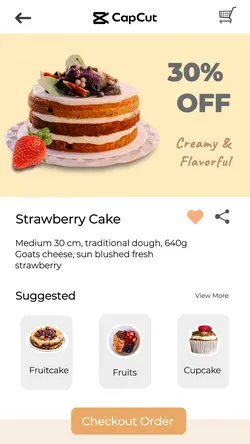
Capcut Cakeshop
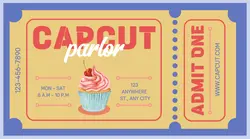
Capcut Parlor Facebook Ad

Retro Capcut Parlor Facebook Ad

Retro Capcut Shop Poster

Capcut Adoption Center Poster

Capcut Cafe Instagram Post

Resume Template
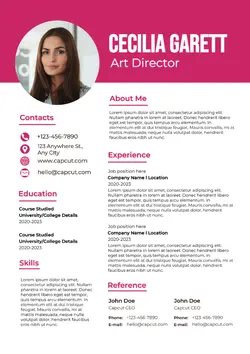
Resume Template
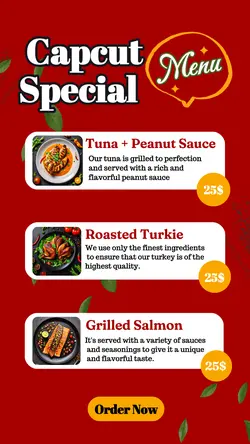
Capcut Special Menu Instagram Story

Resume Template

Retro Capcut Shop Facebook Ad

Resume Template
Retro Capcut Shop Poster

Retro Capcut Shop Poster

Capcut Adoption Center Poster

Capcut Vet Clinic Facebook Ad
Retro Capcut Shop Poster
Retro Capcut Shop Poster

Retro Capcut Shop Poster
1
Hot Templates
CapCut Professional TemplateCap Cut Trending VideoBest TemplatesSlow Motion Template CapCutCapCut Love TemplateNew Trending CapCut TemplateCapCut One-Click TemplateCapCut Simple TemplateCapCut Automation TemplateCapCut Translation TemplateTrending Cap CutCapCut Dance 2Cap Cut TransitionsAll CapCut Templates New TrendYearly CapCut TemplateCapCut Original TemplateCapCut Fast Editing TemplateCapCut Latest Trend Template DownloadCapCut New Version Free TemplateCapCut Cross-Platform TemplateLatest Hindi CapCut TemplateCapCut New Template Free DownloadCapCut Complex TemplateCapCut Unique TemplateAll New TemplatesTrending Hindi CapCut TemplateCapCut Copyright-Free TemplateCapCut Photo EditingCapCut DownloadCapCut 2 Photos Glitch EffectCapCut Template For HerCapCut VNCapCut UpdatesNew CapCut Trend 2023 TemplateCapCut Trends 2026 Currently ViralCapCut Free Video Editor New Trend TemplateCapCut You And MeCapCut Git Git TrendCapCut New Trend Hindi TemplateCapCut 2022 TrendingCapCut New Song TemplateNew Free 2026 CapCut TemplatesNew Cap CutJianyingCapCut Free Template DownloadCapCut Template LinksCap Cut New Trending TemplatesNew In CapCutCapCut 2 Video Template
About CapCut reel template
Elevate your social media game with a professional CapCut reel template designed to make your content shine. Why spend hours editing when you can achieve a polished, viral-worthy look in just a few clicks? Our curated collection features templates for every style and trend. Each design is fully customizable, allowing you to add your own clips, text, and music effortlessly. This selection of editor's pick templates represents the best of the best, hand-selected by our team for their visual appeal and high engagement potential. Whether you're a seasoned creator or just starting out, these editor's pick templates provide the perfect foundation for your next hit Reel. Stop scrolling and start creating. Explore our templates below and find the perfect match for your vision.
Give a CapCut Reel template a simple beginning, middle, and end
The templates above support several kinds of Reels: 5 Clips Version, 6 video or photo, Live photo, Newspaper Edit, epic transition, and City vlog trend. Each one organizes material differently. The best starting point is the structure your footage can actually fill, not the template with the most effects.
Pick the structure before changing the style
A City vlog trend can follow a small timeline: arrival, activity, detail, and final view. Newspaper Edit works when a headline, date, place, or short piece of context helps the viewer. An epic transition feels more convincing when the source footage includes a real movement or location change. For a Live photo edit, let one image remain the visual anchor.
If a template asks for five or six media files, prepare that many distinct options plus one or two backups. A wide view, a medium shot, a close detail, and a result will usually create more variety than several clips recorded from the same position.
Build the visual order before adding extras
Replace the photos and clips first, then watch the Reel from beginning to end. Move the strongest moment forward, shorten anything that stalls the sequence, and remove repeated angles. Once the order works, add only the text or music changes that help explain the story.
The template should make the Reel easier to shape, not hide weak material. A short sequence with a clear idea often feels more personal than a longer edit that uses every available slot without a reason.
FAQs
Q: How many files do I need for 5 Clips Version or 6 video or photo?
A: Prepare the number shown in the template title, then keep one or two backup files. The final selections should differ in angle, action, or story role. Extra options make it easier to replace an awkward crop without repeating the same image or clip.
Q: Can I make a CapCut Reel with only one photo?
A: Yes, if you choose a Live photo or another one-image layout. Pick a photo with a clear subject and enough room for any text or movement effect. Do not repeat the same image across a multi-slot template simply to make it fit.
Q: What kind of story works with City vlog trend?
A: Use a short, real sequence from one outing or place: arrival, a main activity, one or two details, and a closing view. The clips do not need to be dramatic, but they should move the viewer forward rather than jumping between unrelated moments.
Q: When should I use Newspaper Edit for a Reel?
A: Choose it when a headline, date, place, or brief context adds meaning to the footage. Keep the text factual and short enough to read on a phone. If the story already explains itself visually, a simpler layout may keep the Reel from feeling crowded.
Q: What footage makes an epic transition look natural?
A: Use clips with a real connection, such as the same movement in two locations, a camera cover, a turn, or a clear before-and-after change. A transition cannot create continuity when the source shots have unrelated subjects, directions, and timing.
Q: Can I mix portrait and landscape media in a CapCut Reel template?
A: You can, but preview every crop and build around the orientation of your most important clip. Keep faces, hands, text, and products inside the visible frame. If several landscape clips lose their main subject, choose a layout that gives them more horizontal room.
Q: What should I check before exporting a template-based Reel?
A: Watch once for the story order, once for cropping and text, and once for music timing. Remove repeated shots, confirm that the opening makes sense without context, and give the final frame enough time. A silent preview can reveal whether the visuals stand on their own.