Free CapCut Car Editing Template By CapCut
Create stunning car videos in seconds. Use our free CapCut car editing templates to showcase your ride with professional effects. Easy to customize. Start now!
More Templates


1.1M
Power🔥🔥🔥

429.5K
🔥BMW🔥

368.7K
CAR | TREND 🔪

324.9K
BMW🔥🔥

314.5K
❤️🔥BMW❤️🔥
160.7K
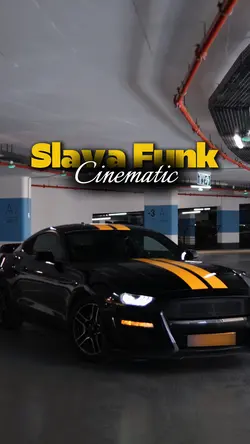
Slava Funk•Car Edit

149.2K
CAR | 5VIDEO⚡️

63K
Free Car Edit

59.2K
Car Template ❤️🔥
58.4K
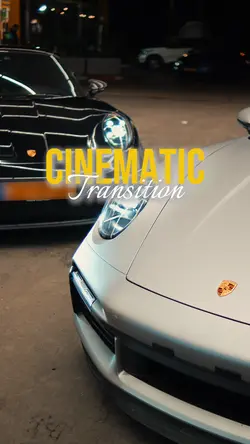
Cinematic | Car Edit

46.9K
Free Car Edit

27.6K
CAR EDIT🔥

22.5K
Free car edit 4K

18.2K
LAND ROVER

10.6K
Speedramp Car Edit

8.5K
BMW | CAR EDIT ❤️

5.3K
Free car edit 🥶

5.1K
Free lambo 4k edit

4.6K
CARS MEET EDITS

177
free car edit
1
Hot Templates
Cap Cut Trending VideoCapCut Professional TemplateBest TemplatesSlow Motion Template CapCutCapCut Love TemplateTrending Cap CutCapCut Reel TemplateNew Trending CapCut TemplateCapCut One-Click TemplateCapCut Automation TemplateCapCut Simple TemplateCapCut Translation TemplateCapCut Original TemplateCapCut Dance 2All CapCut Templates New TrendCapCut Copyright-Free TemplateCapCut Template LinksCapCut Cross-Platform TemplateCapCut Fast Editing TemplateAll New TemplatesCapCut Unique TemplateCapCut Complex TemplateCapCut All TemplatesNew Cap CutCapCut 2 Photos Glitch EffectNew In CapCutCapCut Free Video Editor New Trend TemplateCapCut Git Git TrendCap Cut TransitionsCapCut For GirlsCapCut 2 Video TemplateCap Cut New Trending TemplatesCapCut Paid TemplateTop ChartsCapCut New Song TemplateFree Fire CapCut TemplatesTrending Template 2026SilhouetteGimme More EditCapCut Trends 2026 Currently ViralCapCut You And MeJianyingCapCut Editing TemplatesCapCut Photo EffectsCap Cut Mall FreeNew Trending Cap CutCapCut Latest TrendsAll Template CapCut VideoShort Video Template CapCutLatest CapCut Templates 2023
About CapCut car editing template
Ready to make your car videos go viral? Our free CapCut car editing template collection is designed to give your automotive content a professional, cinematic edge. Whether you're showing off a new mod, capturing a scenic drive, or creating a high-octane montage, these templates provide the perfect starting point. As part of our editor's pick selection, each template is crafted for maximum impact and engagement, featuring dynamic transitions, on-trend effects, and perfectly timed audio. They are fully customizable, allowing you to easily drag and drop your clips, adjust text, and fine-tune colors to match your vision. Stop spending hours on complex edits and start creating incredible car content instantly. Explore the templates below and click to customize your next masterpiece.
Match a CapCut car editing template to the way the vehicle was filmed
The visible collection includes Car Edits, BMW styles, CAR | TREND, NISSAN SILVIA - EDIT, Montage, Sport Car Cinematic, CAR TEMPLATE, Cars 5 Videos, CAR EDIT BLUR BG, and Mask Car Edit. A CapCut car editing template can suit a walkaround, modification reveal, driving sequence, or static detail study, but those sources need different pacing.
Build motion from safe, usable angles
For a parked-car edit, record the front, side profile, wheel or interior detail, and one wider environment shot. A driving edit works better when clips were recorded safely by a passenger or from a secured setup; do not plan shots that require a driver to handle a phone. Keep movement directions consistent so the car does not appear to reverse unpredictably between cuts.
Choose effects that preserve the vehicle
Cinematic layouts can hold on body lines, reflections, and lighting. Fast trend or five-video options need distinct angles and clean action points. Mask transitions work best when a door, pillar, person, or passing object naturally covers the frame. Heavy blur or color treatment should not erase paint colour, badges, number plates that need hiding, or important modification details.
Preview the edit for continuity: wheel position, daylight, location, and vehicle condition should make sense from shot to shot. If text or music can be changed, keep model and modification claims accurate and recheck timing afterward. The strongest car edit makes the vehicle easy to inspect while using motion to connect the views, not to disguise weak footage.
FAQs
Q: Which shots make a complete parked-car edit?
A: Use a wide establishing view, front or rear angle, side profile, wheel or body detail, and an interior or badge shot when relevant. Vary distance and direction so each slot reveals something new about the vehicle.
Q: How can I record driving footage more safely?
A: Use clips captured by a passenger, a secured camera setup, or a legal stationary roadside position. The driver should not operate a phone or camera. Follow local road rules and avoid shots that distract anyone controlling the vehicle.
Q: What makes two car clips connect smoothly?
A: Match the direction of travel, car position, camera movement, or a shared body detail. Trim near the point where motion is strongest. A consistent horizon and similar vehicle scale can also reduce a visible jump.
Q: When should I use a Sport Car Cinematic style?
A: Use it for controlled movement, clean body lines, reflections, lighting, and environment shots that benefit from longer viewing. It is less suitable when every source clip is shaky, extremely short, or recorded with inconsistent exposure.
Q: What source works well for a mask car transition?
A: Use a clip where a door, pillar, person, wall, or passing vehicle fills most of the frame. Start the next shot with a similar covered frame. The natural occlusion should create the connection before the effect is added.
Q: How do I keep paint colour accurate after adding a car effect?
A: Compare the treated clip with the original under the same screen conditions. Watch neutral surfaces and highlight reflections. Reduce a colour treatment when the vehicle shifts to an implausible hue or loses detail in dark paint.
Q: Should a car edit show the model name in text?
A: Add it only when the model is confirmed and the chosen template provides a readable text area. Check spelling, generation, and trim designation. If uncertain, use a broader description rather than presenting an incorrect specification.
Q: How should I handle a visible number plate in the footage?
A: Review whether the plate should remain visible for the intended audience and context. If it needs protection, use an available blur, mask, crop, or replacement method and track it through movement. Check every frame before export.
Q: Why can a five-video car template feel repetitive?
A: Repeated shots from the same distance and side provide little visual change. Assign each slot a purpose, such as setting, profile, detail, interior, and motion. Remove duplicate angles even when the template has room for them.