

Best Filmora Templates Packages to Buy for Professional Video Editing
Are you looking to elevate your video editing projects with stunning templates? Whether you're a professional editor or a content creator, the right Filmora templates can make a world of difference. In this guide, we'll explore the best Filmora templates packages available, including CapCut, Wondershare Filmora, MotionElements, and Elements Envato. We'll also provide tips on how to choose the right templates, install them, and use them effectively. Let's dive in!

Top Filmora Templates Packages Worth Investing In
CapCut Template Packages
CapCut offers a wide range of professional-grade templates that are perfect for video editing enthusiasts. With its intuitive interface and user-friendly design, CapCut makes it easy to customize templates to suit your needs. Whether you're creating short videos, social media content, or professional presentations, CapCut has something for everyone.
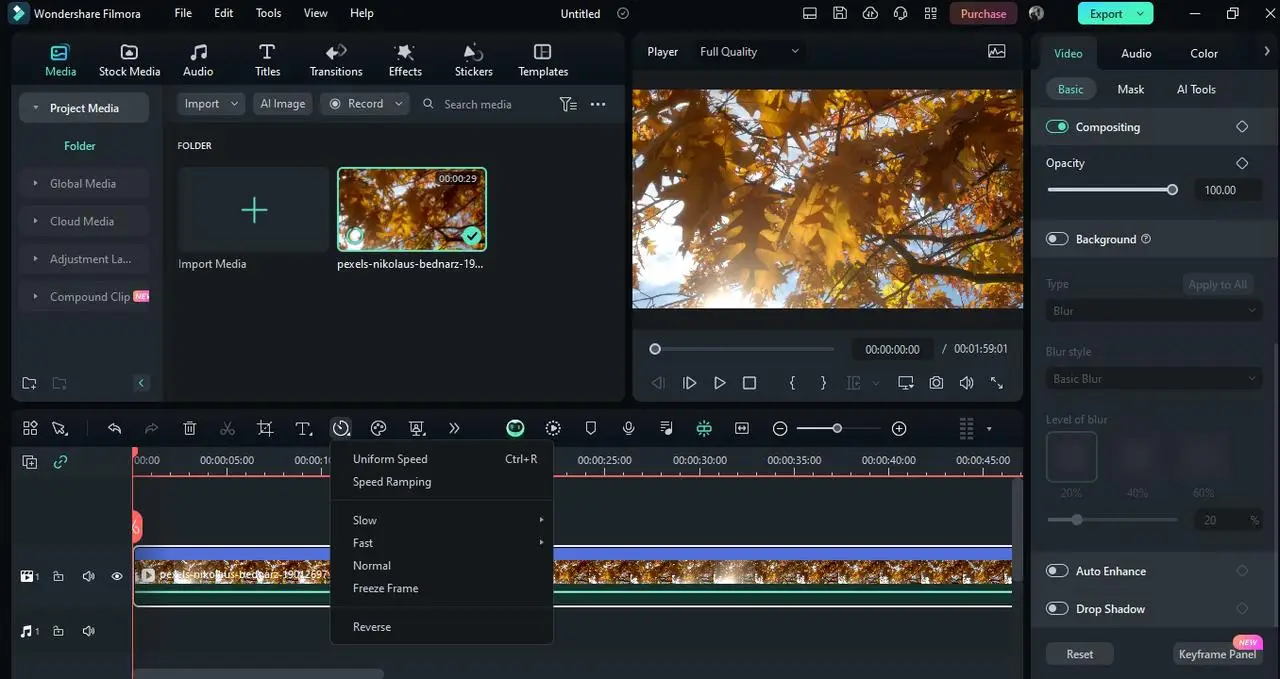
Wondershare Filmora Effects Store
Wondershare Filmora Effects Store is a treasure trove of high-quality templates and effects. With a vast library of video templates, you can find everything from title templates to transition effects. The templates are designed to work seamlessly with Wondershare Filmora, making it easy to enhance your videos with professional-grade effects.

MotionElements
MotionElements is a popular choice for professional video editors. With its extensive library of video templates, you can create stunning videos in minutes. Whether you're creating marketing videos, corporate presentations, or social media content, MotionElements has a wide range of templates to choose from.

Elements Envato
Elements Envato is another great option for video editors looking for high-quality templates. With a vast library of video templates, you can find everything from title templates to transition effects. The templates are designed to work seamlessly with popular video editing software, making it easy to enhance your videos with professional-grade effects.
How to Choose the Right Filmora Templates Package
Consider Your Video Editing Style
When choosing a Filmora templates package, it's important to consider your video editing style. Are you creating short videos, social media content, or professional presentations? Different templates are designed for different purposes, so it's important to choose one that aligns with your needs.
Check Compatibility with Your Filmora Version
Before purchasing a Filmora templates package, make sure it's compatible with your version of Filmora. Some templates may require a specific version of the software to work properly, so it's important to check compatibility before making a purchase.
Installing and Using Filmora Templates Effectively
Step-by-Step Installation Guide
- 1
- Download the Template Package: Start by downloading the template package from the official website. 2
- Install the Template: Once the download is complete, install the template by following the instructions provided. 3
- Customize the Template: Once the template is installed, customize it to suit your needs. You can change colors, fonts, and other elements to make it unique. 4
- Export the Video: Finally, export the video in the desired format and share it with your audience.
Cost Analysis: Are Premium Filmora Templates Worth It?
Premium Filmora templates can be a valuable investment for professional video editors. While they may cost more than free templates, they offer a wide range of features and benefits that can save you time and effort in the long run. If you're serious about creating high-quality videos, premium templates are definitely worth the investment.
Conclusion
Filmora templates can be a game-changer for video editors looking to create stunning videos. Whether you're a professional editor or a content creator, the right templates can help you achieve professional-grade results in minutes. With so many options available, it's important to choose a package that aligns with your needs and budget. By following the tips in this guide, you can find the perfect Filmora templates package and take your video editing to the next level.
FAQs
What are the best Filmora templates packages?
- CapCut Template Packages: Offers a wide range of professional-grade templates.
- Wondershare Filmora Effects Store: A treasure trove of high-quality templates and effects.
- MotionElements: A popular choice for professional video editors.
- Elements Envato: A vast library of video templates for various purposes.
How do I install Filmora templates?
- 1
- Download the Template Package: Start by downloading the template package from the official website. 2
- Install the Template: Once the download is complete, install the template by following the instructions provided. 3
- Customize the Template: Once the template is installed, customize it to suit your needs. 4
- Export the Video: Finally, export the video in the desired format and share it with your audience.
Are premium Filmora templates worth it?
Premium Filmora templates can be a valuable investment for professional video editors. While they may cost more than free templates, they offer a wide range of features and benefits that can save you time and effort in the long run.
Where can I find high-quality Filmora templates?
You can find high-quality Filmora templates on platforms like CapCut, Wondershare Filmora Effects Store, MotionElements, and Elements Envato. These platforms offer a wide range of templates for various purposes, from short videos to professional presentations.
How do I choose the right Filmora templates package?
When choosing a Filmora templates package, it's important to consider your video editing style and the compatibility of the templates with your version of Filmora. Different templates are designed for different purposes, so it's important to choose one that aligns with your needs.