Libreng Mga I-Remove Ang Kanta Sa Audio Template Mula Sa CapCut
Alamin kung paano i-remove ang kanta sa audio gamit ang makabagong AI tools mula sa CapCut. Ang prosesong ito ay mabilis at simple, kaya madali mong matatanggal ang background music mula sa iyong audio files. Perfect ito para sa mga content creator, podcaster, at educator na nangangailangan ng malinis at malinaw na recording para sa kanilang mga proyekto. Makatutulong ito lalo na kung nais mo lamang ang boses o ibang tunog sa iyong file. Gamit ang CapCut - AI Tools, hindi mo na kailangan ng advanced na technical knowledge—i-upload lang ang iyong file at hayaan ang system na gawin ang trabaho. Subukan na at gawing mas propesyonal ang iyong audio content!
More Templates



Travel The World From Internet Review Tajuk Twitter

Display the love lines of the avatar(cc web)

the denim instagram post

The Creative Process Infographic

Beyond The Screen Youtube Thumbnail
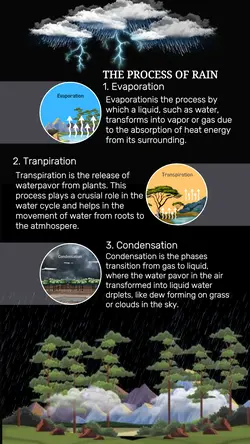
Non-Marketing Infographic The Process Of The Rain

For the Active Pursuer (Landscape)

template promo the best funiture

The Restaurant Menu Facebook Post

Explore the Nature Youtube Thumbnail

Join the Movement - Instagram Post

Explore the Nature Youtube Thumbnail

The Cake Menu Facebook Post

The Bar Menu Instagram Story

Fashion Industry Fashion from the heart for stunning looks instagram post

The Art of Music Youtube Thumbnail

Hear The Difference Headphone Promotion

The Art of Music Youtube Thumbnail

Player of the Week Youtube Thumbnail

Don't Study the Basics Youtube Thumbnail
1
Hot Templates
Warp EffectMga Tunog Na PandagdagAudio Fade EffectScrolling Text Video MakerFade In Text EffectLofi MusicPhoto EditingStar WipeText Wipe EffectMga Epekto Ng Teksto Ng ElementoPaglipat Ng Nasusunog Na PapelKulubot Na Papel Transition After EffectsBackground PictureCss Text AnimationFade In TextGumagalaw Na ArrowKahanga-HangaFade Out MusicWalang TransitionAnimated SvgLukot Na Papel Na PaglipatTypewriter EffectRadial Gradient AnimationSlideshow Background MusicKinetic TypographyText Slide Animation2D Motion GraphicsHover AnimationBackground AnimationHover Text AnimationGumagalaw Na TekstoMulti-Platform Na AdaptasyonMotion BlurVideo PackagesButton Hover EffectAnimated TextPhoto EditHandwriting AnimationText Animation Na PagsusulatPalamuti Ng TekstoMga Tunog Na EpektoText Typing Animation3D TransitionAudio Fade Out EffectCustom MaskTitle Animation2D Animation Effects
About i-remove ang kanta sa audio
Alamin kung paano i-remove ang kanta sa audio gamit ang makabagong AI tools mula sa CapCut. Ang prosesong ito ay mabilis at simple, kaya madali mong matatanggal ang background music mula sa iyong audio files. Perfect ito para sa mga content creator, podcaster, at educator na nangangailangan ng malinis at malinaw na recording para sa kanilang mga proyekto. Makatutulong ito lalo na kung nais mo lamang ang boses o ibang tunog sa iyong file. Gamit ang CapCut - AI Tools, hindi mo na kailangan ng advanced na technical knowledge—i-upload lang ang iyong file at hayaan ang system na gawin ang trabaho. Subukan na at gawing mas propesyonal ang iyong audio content!