

Creating YouTube videos with AI has never been easier! With the right tools and techniques, you can produce high-quality, engaging content in no time. Whether you're a content creator, marketer, or social media influencer, AI-powered video creation tools can help you save time, improve efficiency, and generate unique ideas. In this guide, we'll show you how to make YouTube videos with AI, explore the best AI tools for video production, and provide a step-by-step process to create stunning AI-generated videos. Let's dive in and discover how AI can transform your video creation process! CapCut desktop video editor
How AI Enhances YouTube Video Creation
AI has revolutionized the way we create YouTube videos. From generating script ideas to automating video editing, AI-powered tools offer a wide range of features that make video production faster and more efficient. Here are some of the key ways AI enhances YouTube video creation:
- Script generation: AI tools can help you create engaging scripts based on your topic or keywords.
- Video editing: AI-powered video editors like CapCut offer advanced features like automatic trimming, captioning, and video stabilization.
- AI-generated visuals: AI tools can create stunning visuals, animations, and graphics to enhance your videos.
- Voiceover generation: AI voiceovers can help you create professional-sounding narration without the need for a voice actor.
- Video analysis: AI tools can analyze your video content and provide insights to improve engagement and performance.
By leveraging these AI-powered features, you can create high-quality YouTube videos that capture your audience's attention and drive engagement.
Top AI Tools for YouTube Video Production
When it comes to creating YouTube videos with AI, there are several tools available that can help you achieve professional results. Here are some of the best AI tools for YouTube video production:
CapCut
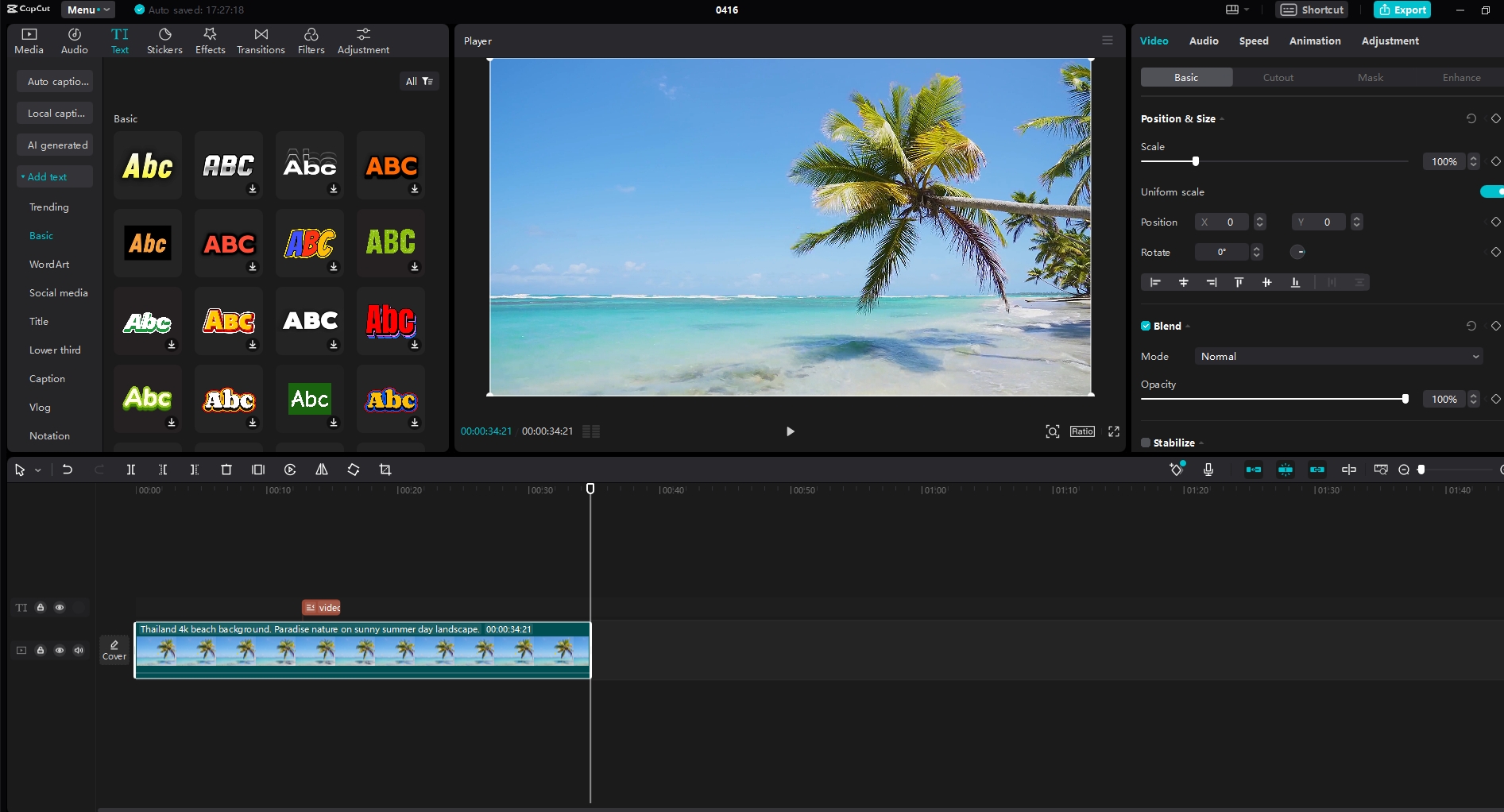
CapCut is a versatile AI-powered video editor that offers a wide range of features for YouTube video creation. Its user-friendly interface and advanced AI tools make it an excellent choice for content creators. Here are some of its key features:
- AI-powered video editing: CapCut's AI tools help you trim, stabilize, and enhance your videos with ease.
- AI-generated captions: The tool automatically generates captions for your videos, making them more accessible to a wider audience.
- AI-based video stabilization: CapCut's AI-powered video stabilization tool ensures your videos are smooth and professional-looking.
- AI-driven visual effects: The tool offers a variety of AI-driven visual effects to enhance your videos and make them stand out.
- AI-powered voiceover generation: CapCut's AI voiceover tool helps you create professional-sounding narration for your videos.
Pictory
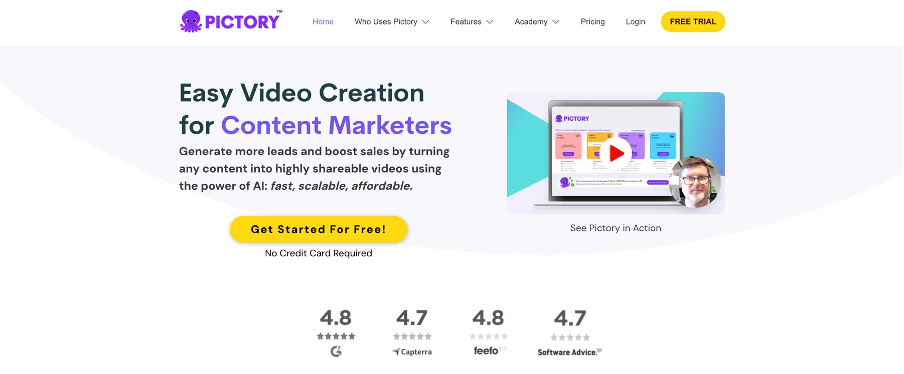
Pictory is an AI-powered video creation tool that helps you create engaging YouTube videos with ease. Its user-friendly interface and advanced AI features make it a great choice for content creators. Here are some of its key features:
- AI-powered video editing: Pictory's AI tools help you trim, stabilize, and enhance your videos with ease.
- AI-generated captions: The tool automatically generates captions for your videos, making them more accessible to a wider audience.
- AI-based video stabilization: Pictory's AI-powered video stabilization tool ensures your videos are smooth and professional-looking.
- AI-driven visual effects: The tool offers a variety of AI-driven visual effects to enhance your videos and make them stand out.
- AI-powered voiceover generation: Pictory's AI voiceover tool helps you create professional-sounding narration for your videos.
Synthesia
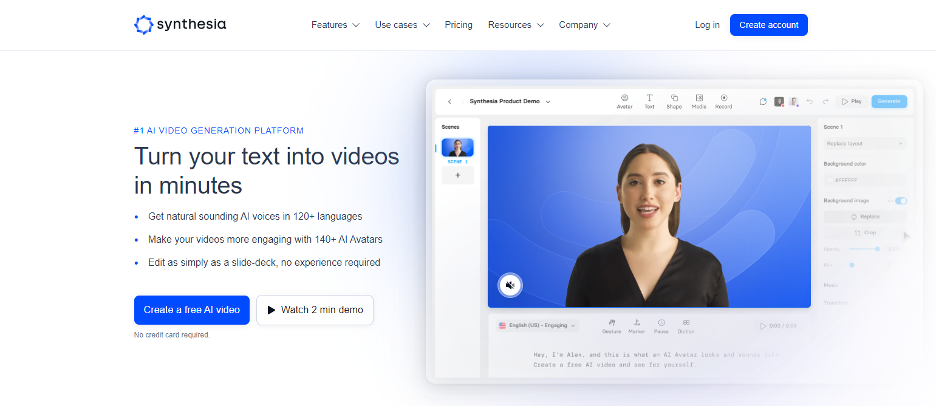
Synthesia is an AI-powered video creation tool that helps you create engaging YouTube videos with ease. Its user-friendly interface and advanced AI features make it a great choice for content creators. Here are some of its key features:
- AI-powered video editing: Synthesia's AI tools help you trim, stabilize, and enhance your videos with ease.
- AI-generated captions: The tool automatically generates captions for your videos, making them more accessible to a wider audience.
- AI-based video stabilization: Synthesia's AI-powered video stabilization tool ensures your videos are smooth and professional-looking.
- AI-driven visual effects: The tool offers a variety of AI-driven visual effects to enhance your videos and make them stand out.
- AI-powered voiceover generation: Synthesia's AI voiceover tool helps you create professional-sounding narration for your videos.
Lumen5
Lumen5 is an AI-powered video creation tool that helps you create engaging YouTube videos with ease. Its user-friendly interface and advanced AI features make it a great choice for content creators. Here are some of its key features:
- AI-powered video editing: Lumen5's AI tools help you trim, stabilize, and enhance your videos with ease.
- AI-generated captions: The tool automatically generates captions for your videos, making them more accessible to a wider audience.
- AI-based video stabilization: Lumen5's AI-powered video stabilization tool ensures your videos are smooth and professional-looking.
- AI-driven visual effects: The tool offers a variety of AI-driven visual effects to enhance your videos and make them stand out.
- AI-powered voiceover generation: Lumen5's AI voiceover tool helps you create professional-sounding narration for your videos.

Step-by-Step Guide to Creating YouTube Videos with AI
Creating YouTube videos with AI is easier than you think! Follow these simple steps to create engaging AI-generated content for your channel:
Planning Your Video Content
Before you start creating your video, it's important to plan out your content. Here are some tips to help you plan your video effectively:
- Define your goal: What is the purpose of your video? Are you trying to educate, entertain, or sell a product?
- Identify your audience: Who is your target audience? What are their interests and preferences?
- Choose your topic: What topic will your video cover? Make sure it's relevant and engaging.
- Create a script: Write a script for your video. Keep it concise and to the point.
- Plan your visuals: Decide on the visuals you want to include in your video. Will you use AI-generated graphics, animations, or stock footage?
Generating Video Drafts with AI
Once you've planned out your content, it's time to start creating your video. Here's how you can use AI tools to generate video drafts:
- Use AI-powered video editors: Tools like CapCut offer AI-powered video editing features that can help you create professional-looking videos in minutes.
- Generate AI-generated visuals: Use AI tools to create stunning visuals, animations, and graphics for your video.
- Create AI-powered voiceovers: Use AI voiceover tools to generate professional-sounding narration for your video.
- Add AI-generated captions: Automatically generate captions for your video to make it more accessible to a wider audience.
- Use AI-driven video stabilization: Ensure your videos are smooth and professional-looking with AI-powered video stabilization tools.
Editing and Finalizing Your Video
Once you've generated your video draft, it's time to edit and finalize your video. Here's how you can use AI tools to edit and finalize your video:
- Trim and stabilize your video: Use AI-powered video editing tools to trim and stabilize your video.
- Add AI-generated visuals: Enhance your video with AI-generated visuals, animations, and graphics.
- Adjust your video settings: Use AI-powered video editing tools to adjust your video settings, such as brightness, contrast, and color balance.
- Add AI-powered voiceovers: Use AI voiceover tools to generate professional-sounding narration for your video.
- Export your video: Once you're satisfied with your edits, export your video in the desired format and resolution.
Best Practices for AI-Powered YouTube Videos
Creating YouTube videos with AI is a great way to save time and improve efficiency. However, there are some best practices you should follow to ensure your videos are engaging and high-quality. Here are some tips to help you create effective AI-powered YouTube videos:
- Use high-quality AI tools: Make sure you're using high-quality AI tools that offer advanced features and capabilities.
- Plan your content carefully: Take the time to plan out your content carefully to ensure it's relevant and engaging.
- Use AI-generated visuals wisely: Use AI-generated visuals to enhance your video, but avoid overusing them.
- Keep your videos short and concise: Keep your videos short and to the point to maintain viewer engagement.
- Optimize your videos for SEO: Use keywords and optimize your video title, description, and tags to improve your video's SEO performance.
Conclusion
Creating YouTube videos with AI is a great way to save time, improve efficiency, and generate unique ideas. With the right tools and techniques, you can produce high-quality, engaging content that captures your audience's attention and drives engagement. Whether you're a content creator, marketer, or social media influencer, AI-powered video creation tools can help you create stunning AI-generated videos for your channel. Try out these AI tools and techniques today and see how they can transform your video creation process! CapCut desktop video editor
FAQs
Can I create YouTube videos with AI for free?
Yes, there are several AI-powered video creation tools available that offer free versions with basic features. However, for advanced features and capabilities, you may need to purchase a subscription.
How long does it take to create a YouTube video with AI?
Creating a YouTube video with AI can take anywhere from a few minutes to several hours, depending on the complexity of your video and the tools you're using.
Can I use AI to create YouTube Shorts?
Yes, you can use AI tools like CapCut to create YouTube Shorts. These tools offer advanced features like automatic trimming, captioning, and video stabilization to help you create professional-looking Shorts in minutes.
Is it easy to use AI tools for YouTube video creation?
Yes, AI tools for YouTube video creation are designed to be user-friendly and easy to use. Even if you're not a professional video editor, you can create stunning AI-generated videos with just a few clicks.
Can I use AI to create YouTube videos without any editing?
Yes, some AI tools offer features that allow you to create YouTube videos without any editing. These tools can automatically generate scripts, visuals, and voiceovers for you.
Are AI-generated YouTube videos acceptable for SEO?
Yes, AI-generated YouTube videos can be optimized for SEO just like any other video. Use keywords, optimize your title, description, and tags, and ensure your video meets YouTube's guidelines for SEO performance.
Can I use AI to create YouTube videos in multiple languages?
Yes, some AI tools offer features that allow you to create YouTube videos in multiple languages. These tools can automatically generate captions, voiceovers, and subtitles in different languages to make your videos more accessible to a global audience.
How can I improve the quality of my AI-generated YouTube videos?
To improve the quality of your AI-generated YouTube videos, use high-quality AI tools, plan your content carefully, use AI-generated visuals wisely, and optimize your videos for SEO. You can also experiment with different AI-powered features and techniques to create unique and engaging content.
Can I use AI to create YouTube videos for e-commerce?
Yes, you can use AI tools to create YouTube videos for e-commerce. These tools can help you create professional-looking product demos, unboxing videos, and tutorials to promote your products and drive sales.
How can I ensure my AI-generated YouTube videos stand out?
To ensure your AI-generated YouTube videos stand out, use high-quality AI tools, create unique and engaging content, use AI-generated visuals wisely, and optimize your videos for SEO. You can also experiment with different AI-powered features and techniques to create unique and engaging content that captures your audience's attention.
By following these tips and using the right AI tools, you can create stunning AI-generated YouTube videos that stand out from the crowd and drive engagement for your channel.