Free Latest 2026 Trending Songs Templates By CapCut
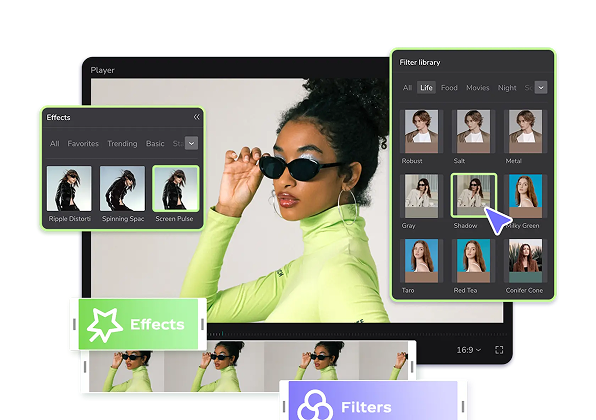
Create viral videos with the latest 2026 trending songs templates. Instantly customize professional-quality clips for TikTok and Reels in seconds with CapCut.

More Templates
1

About latest 2026 trending songs

Get ahead of the curve with our collection of video templates featuring the latest 2026 trending songs. These aren't just any templates; they're your ticket to creating viral content that captures the newest sounds before they explode. Perfect for any creator looking to record fresh social media content, our library is built around the future of music. Each template is professionally designed for maximum impact and is fully customizable, allowing you to add your personal touch effortlessly. Stop spending hours trying to sync audio and visuals. Simply pick a template, drop in your clips, and share your masterpiece. Start browsing now to find the perfect sound for your next video hit. Choose latest 2026 trending songs templates by fit, not the trend label The visible collection includes Tere Nam Pe, Viral SlowMo Video, Meri zindagi hai tu, regional-language songs, lyric-led options, slow-motion edits, and related Hindi, Bhojpuri, Bengali, Gujarati, Punjabi, Telugu, Marathi, Malayalam, and Kannada categories. Latest 2026 trending songs templates can help establish timing, but a current label does not make every track suitable for every story or audience. Start with language, meaning, and emotional tone Listen beyond the first recognizable phrase. Confirm that the lyric meaning and mood fit the people, event, or product in your footage. A romantic line, sad song, or regional reference can change how an ordinary image is interpreted. If viewers need to read on-screen lyrics, choose footage with quiet space and enough time for each line. Fit actions to the template's actual audio changes Mark the strongest beats, pauses, or vocal changes in the preview. Use clips whose movement can land naturally at those points, and trim before inserting them. Slow-motion templates need clean action and stable focus; a weak source becomes more visible when held longer. Avoid using unrelated shots only to fill every beat. Before finishing, review the full video with sound and then silently. The visuals should still have an understandable order, while the audio adds emotion and rhythm. Also check the usage and export conditions shown for the selected template and track in your editing environment. A song appearing in a collection should not be treated as a guarantee for every platform, account, region, or commercial use. FAQs Q: How do I choose a song template when I do not know the lyric meaning? A: Look up or verify the meaning before pairing it with personal, cultural, or brand footage. A melody may sound suitable while the words communicate something very different. When meaning remains uncertain, choose an instrumental or a track you can interpret confidently. Q: What footage fits a slow-motion song template in this collection? A: Use a clear action with stable focus, such as a turn, walk, reveal, gesture, or controlled camera move. Test the slowed section for shake and motion blur. A shorter clean action is usually better than stretching an entire weak clip. Q: Should every beat receive a new clip? A: No. Change clips only when the visual information or musical structure supports it. Holding one strong shot through a phrase can be clearer than cutting on every beat. Use the template preview to understand which changes are already built into its rhythm. Q: How can I place readable lyrics over a song edit? A: Use short lines, sufficient display time, and a quiet area with stable contrast. Check every background change beneath the words. If the footage stays busy, reduce text, move it, or select a layout designed to give lyrics more space. Q: Does a 2026 label mean the song will remain popular all year? A: No. The label describes the collection, not a guaranteed popularity period. Choose the template because its language, mood, and pacing suit the footage. If current popularity matters to your decision, verify it separately near the publishing date. Q: Can I use one of these songs for commercial content? A: Do not assume that collection placement grants every usage right. Availability and permissions can depend on the track, template, account, region, platform, and intended use. Review the terms and notices shown in the relevant editing and publishing flow. Q: How do regional-language choices affect the visuals? A: They help define audience and emotional context. Use people, places, clothing, and events that genuinely fit the story rather than adding generic images to a culturally specific track. When text is present, verify spelling and meaning with a competent speaker. Q: What should I test before replacing the template audio? A: Check whether cuts, speed changes, and text cues depend on the original sound. A replacement track may have different beats and phrase lengths. Preview the entire sequence after any audio change and retime only where the editor allows and the story benefits.
CapCutEdit smarter, create faster